

Speed Camera Alerts for iPhone
PRO camera alerts use a local camera database and GPS and can work without internet where data is available. Coverage varies by country; database updates need a connection. This does not provide offline road-speed-limit data.
The same speed-camera database used by many navigation systems.

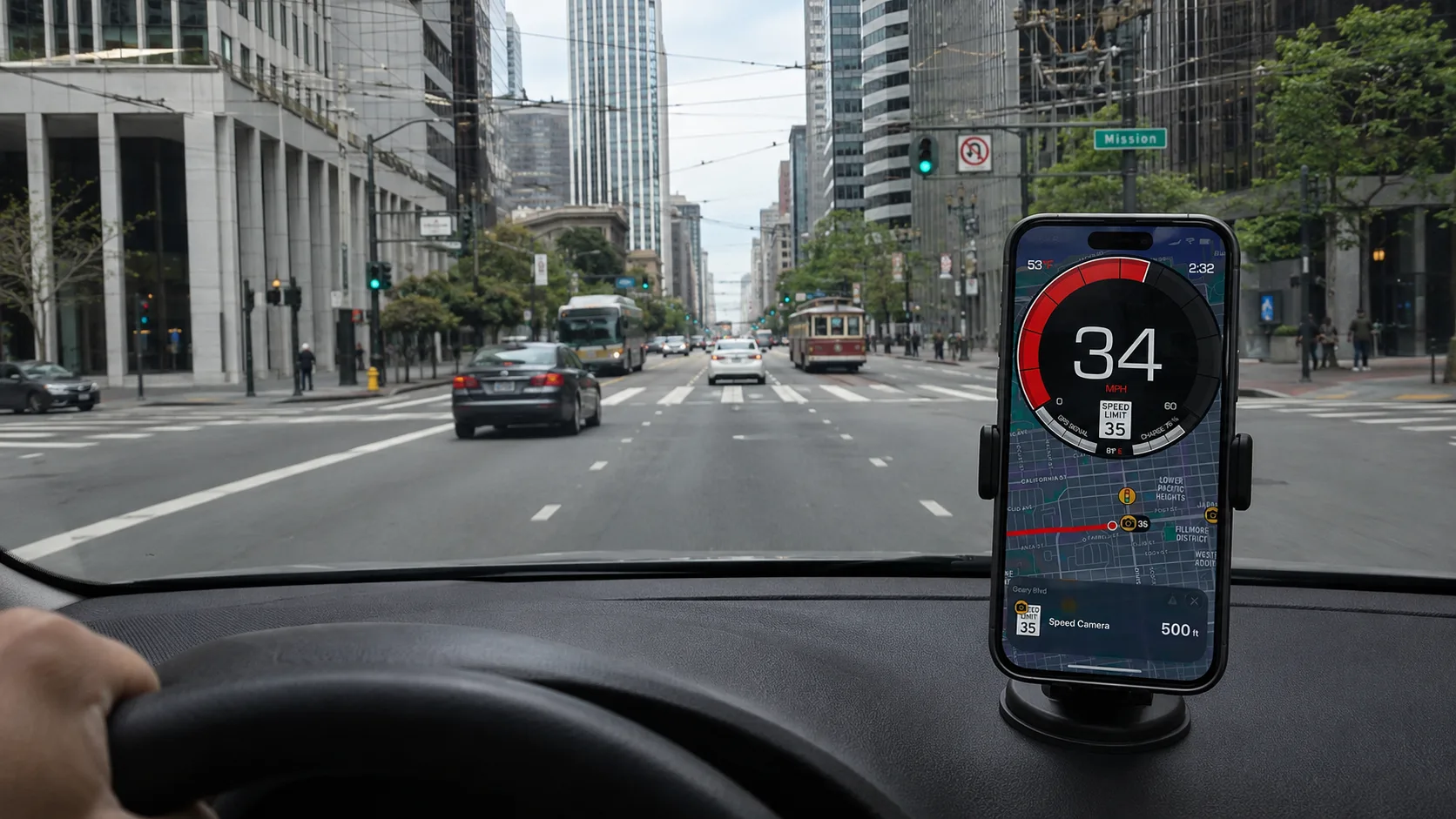
Free to download, with no ads. PRO is available through a subscription or a one-time purchase; both unlock the same PRO features. The price depends on your region and current offer; check Apple’s purchase screen. PRO camera alerts use a local camera database and GPS and can work without internet where data is available. Coverage varies by country; database updates need a connection. This does not provide offline road-speed-limit data.
Why this app
SCDB.info camera data, professionally maintained
SCDB.info maintains the camera database using checks and reports, including contributions from users. This is a curated source of known locations, not a live feed of every enforcement operation.
Camera data for 40+ countries, subject to regional availability
PRO camera alerts use a local camera database and GPS and can work without internet where data is available. Coverage varies by country; database updates need a connection. This does not provide offline road-speed-limit data.
Customizable alerts — visual, audio, voice, haptic
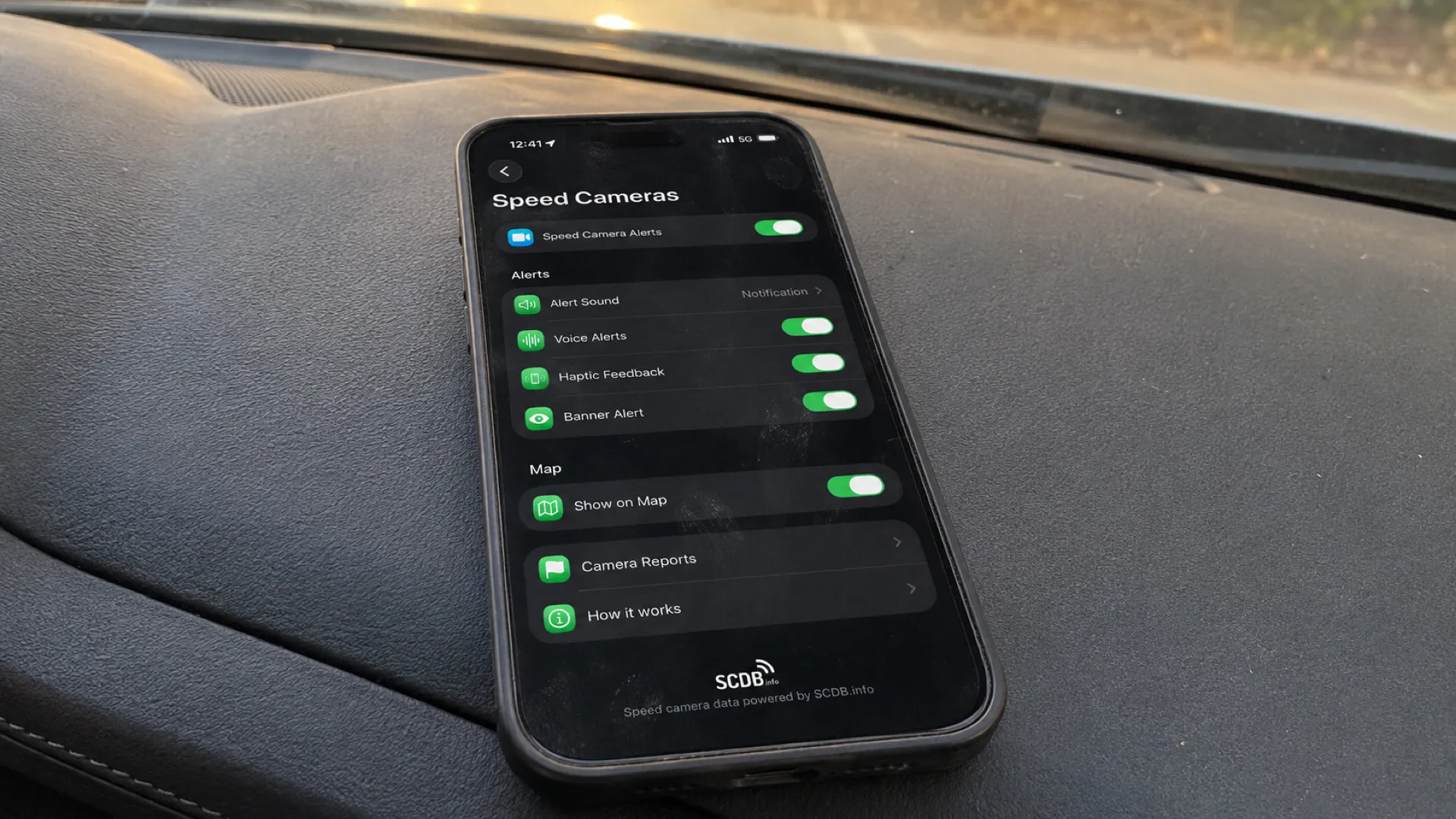
Choose a beep, radar tone, spoken alert (21 languages), banner or haptic feedback. Point-camera warning distance uses the speed limit stored in the camera record. A cooldown helps reduce repeated alerts.
Regional alert behavior
France uses danger zones; Switzerland disables camera alerts; Germany shows a passenger-use disclaimer. These behaviors do not guarantee lawful use. A driver in Germany must not benefit from warnings on a passenger’s app either. Check the rules for your journey.
How we compare to other speedometer & radar apps
We publish this site and make the app. Our camera alerts require PRO. Competitor entries are historical observations from public listings in May 2026, not a new hands-on comparison. Speedometer Simple’s developer advertises HUD (rechecked September 10). “Not verified” and dashes mean this comparison does not establish the feature or its absence. Check current listings and paid-feature terms before choosing.
| Feature | Us | Speedometer Simple | SpeedAce | Radarbot |
|---|---|---|---|---|
| Core purpose | GPS speedometer + trip logging, with SCDB-powered speed-camera alerts | Simple GPS speedometer | GPS speedometer + pedometer | Speed-camera / radar alerts |
| GPS speedometer + HUD | Yes — MPH / KM/H / knots, HUD | Speed display; developer advertises HUD | Yes — HUD (paid) | Basic speed display |
| Road-based speed-limit alerts | Yes — PRO (needs internet) | Not verified in this comparison | Manual threshold described; road-based alerts not verified | Yes |
| Trip logging + GPX export | Yes — recording free, GPX export PRO | Trip statistics; export not verified | Trip history; export not verified | Not verified in this comparison |
| Camera-alert data | Yes — SCDB, professionally curated | Not verified in this comparison | Not verified in this comparison | Own database + community reports |
| Camera alerts work offline | Yes — database on your phone | — | — | Yes (for alerts) |
| Data maintenance and reports | SCDB.info curated database; user reports can inform maintenance | — | — | Community reports for mobile cameras |
| No ads | Yes | No — ad-supported | No ads (subscription) | Ad-supported free tier |
| Pricing | Free to download, with no ads. PRO is available through a subscription or a one-time purchase; both unlock the same PRO features. The price depends on your region and current offer; check Apple’s purchase screen. | Free + in-app purchases | Free; subscription for HUD & history | Freemium; GOLD subscription |
How alerts work
Alerts combine stored camera data, your GPS position and approach conditions. Coverage depends on the available records and regional behavior.
Smart approach distance
For point cameras, the warning radius uses the speed limit stored in that camera’s record. It does not use your current vehicle speed or a live road-limit lookup to choose that radius.
Direction matching
Direction filtering helps reduce irrelevant camera alerts; it does not guarantee zero false or missed alerts. Coverage and local rules vary.
Cooldown
A cooldown temporarily suppresses repeat warnings for a camera after an alert. It helps reduce repetition; it does not promise that the camera can never trigger again.
Audio you control
Choose sound, spoken alerts, haptics or banners independently. Spoken alerts use recorded audio in 21 languages. Configure and check the channels while parked.
Country coverage
SCDB-powered camera data covers 40+ supported countries, including parts of Europe, the USA, Brazil and Australia. Available records and alert behavior vary by region; coverage is not legal permission.
France
The app uses danger zones. France restricts enforcement-location warnings; this behavior is not a certification of legal compliance.
Germany
The app shows a passenger-use disclaimer. Drivers must not use camera warnings, including warnings from a passenger’s app used for the driver’s benefit (§23(1c) StVO).
Switzerland
The app disables camera alerts. ASTRA guidance refers to Article 98a SVG and removal of Swiss warning POIs; disabled alerts alone do not establish compliance.
Other supported countries
Data availability and alert behavior vary. Check the country guide and current official rules before use; an available alert is not a blanket permission.
Set up camera alerts before your trip
Download
Install GPS Speedometer MPH Tracker from the App Store (free, no ads).

Allow location
Grant location access — required for any GPS-driven feature.
Enable & pick alerts
Free to download, with no ads. PRO is available through a subscription or a one-time purchase; both unlock the same PRO features. The price depends on your region and current offer; check Apple’s purchase screen. PRO camera alerts use a local camera database and GPS and can work without internet where data is available. Coverage varies by country; database updates need a connection. This does not provide offline road-speed-limit data.
Drive
Where use is permitted, approach matching and cooldown operate automatically. Configure the app while parked and keep attention on the road.
Speed-camera-app FAQ
No. A radar detector is separate hardware that receives radar signals. This app matches your GPS position to stored camera locations; it does not detect a live radar transmission. GPS warning apps, detectors and jammers can be subject to different rules.
PRO camera alerts use a local camera database and GPS and can work without internet where data is available. Coverage varies by country; database updates need a connection. This does not provide offline road-speed-limit data.
SCDB.info supplies the camera data. It maintains its database with checks and reports, including user contributions. Provider maintenance does not by itself tell you when an updated record reaches this app.
The app does not offer live mobile-patrol or temporary-camera reporting. Supported alert categories are fixed speed cameras, red-light cameras, combined cameras and average-speed sections, subject to available records and regional behavior. Other categories in a provider database are not automatically available in the app.
No. This app is for iPhone and iPad; there is no Android version.
Free to download, with no ads. PRO is available through a subscription or a one-time purchase; both unlock the same PRO features. The price depends on your region and current offer; check Apple’s purchase screen. Recording, saving and basic viewing of trips are free. Detailed route playback and analysis require PRO. PRO unlocks route playback, speed and altitude charts, and detailed trip analysis. Trips saved while PRO stay unlocked if PRO later expires.
SCDB.info says its database changes daily. That describes the provider’s maintenance, not a daily update or an update with every release of this app. We do not specify an app-delivery interval here.
Yes. The built-in report flow sends a location, app version, locale and any comment you add to a reporting service for review. Avoid including personal details in the comment. This does not establish anonymous handling or guarantee that a correction will be accepted.
Related guides
Speed cameras: the complete guide
Pillar — how cameras work, where they're used, and the legal landscape.
Types of speed cameras explained
Fixed, mobile, average-speed, red-light, ANPR, danger zones — what each one is.
Are speed camera apps legal? Country guide
Country-by-country reference for legality of POI apps and radar detectors.
Automatic speed-limit alerts
A separate feature: PRO warnings using available road-limit data, with an internet connection.
HUD speedometer guide
Project your speed on the windshield. Pairs naturally with camera alerts.
Car speedometer app
GPS-grade speed for everyday driving.
Speed-camera approach alerts, powered by SCDB.info.
40+ countries, subject to available data. Camera alerts require PRO. No ads.
Always drive within the posted limit. Camera alerts are an aid to attention, not a licence to speed.