

How do I change the speed units in GPS Speedometer?
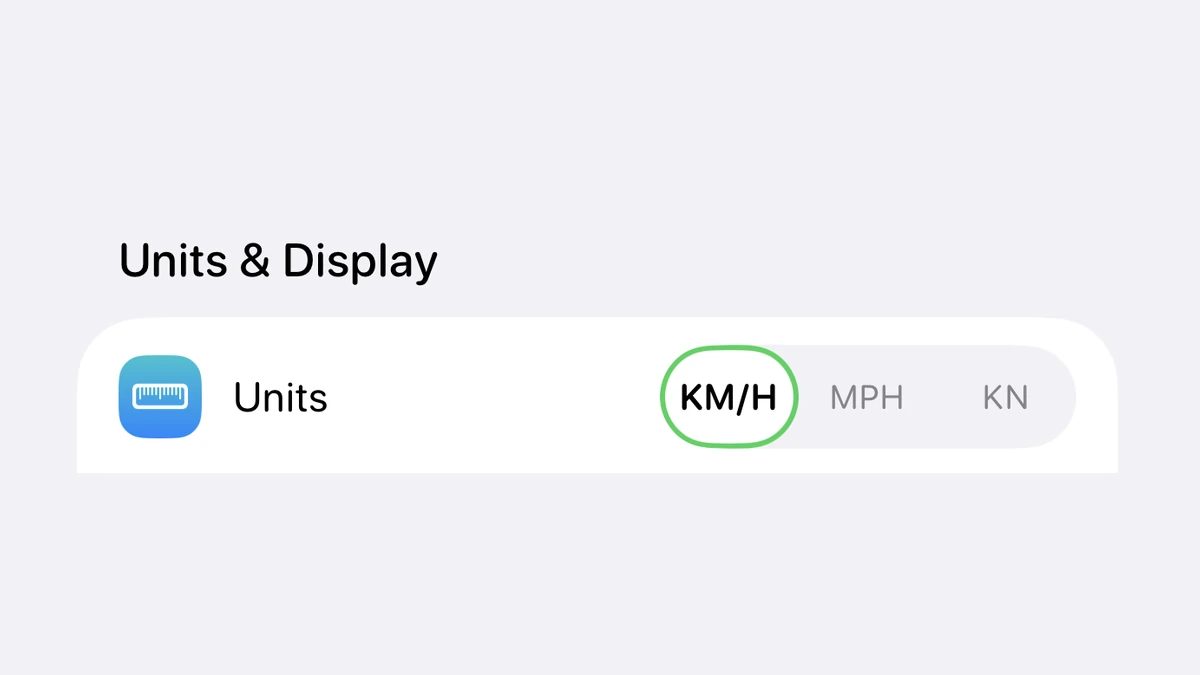
GPS Speedometer shows your speed in miles per hour, kilometres per hour, or knots, and you switch between them in the app’s settings. The unit you pick applies to the live readout, your trip stats, and the HUD display — and switching is free on every tier, with your saved trips simply re-displayed in the new unit.
The three units, and who they’re for
GPS Speedometer supports miles per hour (mph), kilometres per hour (km/h), and knots. Drivers in the US and UK usually want mph; most of the rest of the world uses km/h; and knots turn the same app into a boat and marine speedometer. Your distance unit follows your speed unit — miles alongside mph, kilometres alongside km/h — so trip distance, average speed, and maximum speed all read in the system you chose.
Picking a unit is part of the free core speedometer. It is not a PRO feature, there is no cap on switching, and the choice sticks between sessions until you change it again.
How to switch units
Open GPS Speedometer and go to its settings or display options, then choose your preferred unit — mph, km/h, or knots. The change applies immediately: the live speed dial, the numbers in your trip summary, and the HUD windshield readout all update to the unit you selected. There is no separate confirmation or re-download step.
If the reading looks wrong straight after switching — for example a familiar 60 mph road now showing ~97 — that is the correct km/h equivalent, not an error. Switch back the same way if you preferred the previous unit.
Does it change my saved trips?
No. Every recorded trip is stored as raw GPS data, so changing units only changes how those numbers are shown. A ride you recorded in km/h will re-display in mph the moment you switch, with no loss of history and no need to record it again. You can read more about what the app stores in the GPS speed tracker reference and the trip-stats guide.
Need a quick one-off conversion without opening the app? Use the free two-way converters for mph to km/h and km/h to mph.
Units FAQ
What speed units does GPS Speedometer support?
GPS Speedometer displays your speed in three units: miles per hour (mph), kilometres per hour (km/h), and knots. Knots make it usable as a boat and marine speedometer as well as a car, bike, or motorcycle one. Distance follows your choice too — miles with mph, kilometres with km/h.
Is changing units a paid feature?
No. Choosing mph, km/h, or knots is part of the free core speedometer. You do not need PRO to switch units, and there is no limit on how often you change them.
Does switching units change my saved trips?
No. Your recorded trips are stored as raw GPS data, so switching units simply re-displays the same distances and speeds in the new unit. Nothing is re-recorded or lost, and you can switch back at any time.
Can I show two units at once?
The main speed readout shows the single unit you select. If you regularly need both mph and km/h — for example when driving an imported car or travelling abroad — the free online converters at /mph-to-kph/ and /kph-to-mph/ handle quick two-way conversions.
More help in the guides hub and the full FAQ.
Track your speed in mph, km/h, or knots
Free to download, no ads, and units are free on every tier.


Free download • On iPhone since 2014