

What do the trip stats in GPS Speedometer mean?
GPS Speedometer records your trip as it happens, then shows the numbers that matter: current speed, maximum speed, average speed, distance, duration, altitude, elevation gain, and G-Force. The core stats — max, average, and distance — are free, so you can review every drive, ride, or run without paying.
Every metric, explained
Current speed
Your live speed, updated several times a second from GPS, shown in mph, km/h, or knots.
Max speed
The peak speed recorded during the trip — the single highest reading in the session.
Average speed
The running average across the trip, useful for pacing on long drives, rides, or runs.
Trip distance
Total distance travelled, calculated from GPS samples, shown in miles or kilometres.
Altitude
Current elevation above sea level, sourced from the iPhone barometer where available and GPS otherwise.
Climb / elevation gain
Total height gained over the trip — handy for cycling, hiking, and trail running.
Trip duration
Active time on the trip, with stopped time tracked separately.
G-Force
Live acceleration, braking, and cornering forces, useful for performance driving and track days.
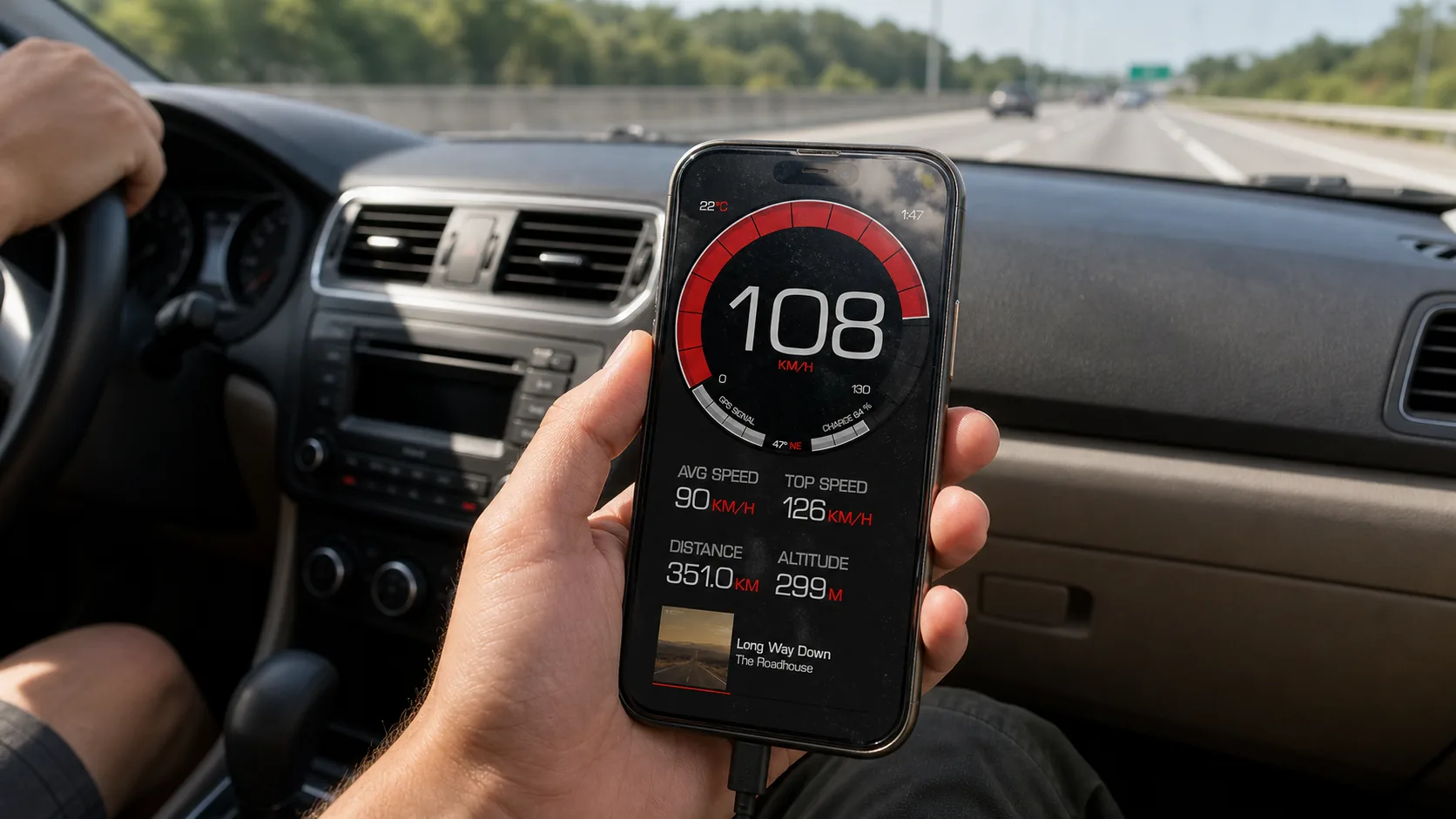
Free stats vs PRO history
The three numbers most people care about — maximum speed, average speed, and distance — are free, and so is recording the trip that produces them. PRO is where an unlimited saved trip history and GPX export live, so the split is roughly: read your stats for free, keep and export them all with PRO. The free vs PRO page has the exact list.
For a deeper reference on how each metric is captured and how GPS speed calculation works, see the GPS speed tracker page.
Trip stats FAQ
Which trip stats are free?
The core stats — maximum speed, average speed, and distance — are free, along with trip recording itself. You can review every drive, ride, or run without paying. PRO adds unlimited saved trip history and features like GPX export.
How does the app measure altitude?
Altitude comes from the iPhone’s barometer where the device has one, falling back to GPS otherwise. The barometer generally gives smoother, more stable elevation than GPS alone, which is why climb and elevation-gain figures are reliable enough for cycling and hiking.
Why is my average speed lower than I expected?
Average speed includes the whole active trip, so time spent slowing, stopping at lights, or crawling in traffic pulls it down. Trip duration tracks active versus stopped time separately, which helps explain the gap between your average and your top speed.
Can I keep a full history of my trips?
Recording and reviewing trips is free. Keeping an unlimited saved trip history is a PRO feature, so if you want every trip stored long-term rather than the most recent ones, that is part of PRO.
More help in the guides hub and the full FAQ.
See the full picture of every trip
Free speed, distance, and altitude stats on every drive, ride, or run.


Free download • On iPhone since 2014