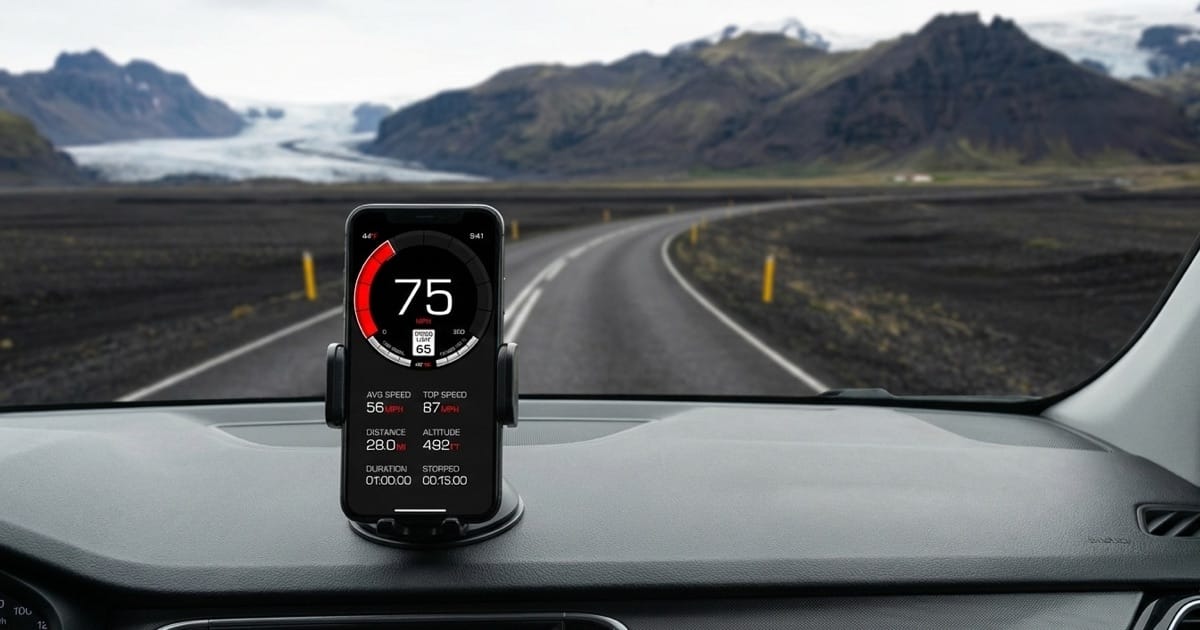

GPS Accuracy on Curves vs Straight Roads
Discover why GPS speedometers lose accuracy on curved roads, how corner clipping affects speed readings, and what update rates provide the best accuracy on winding roads.
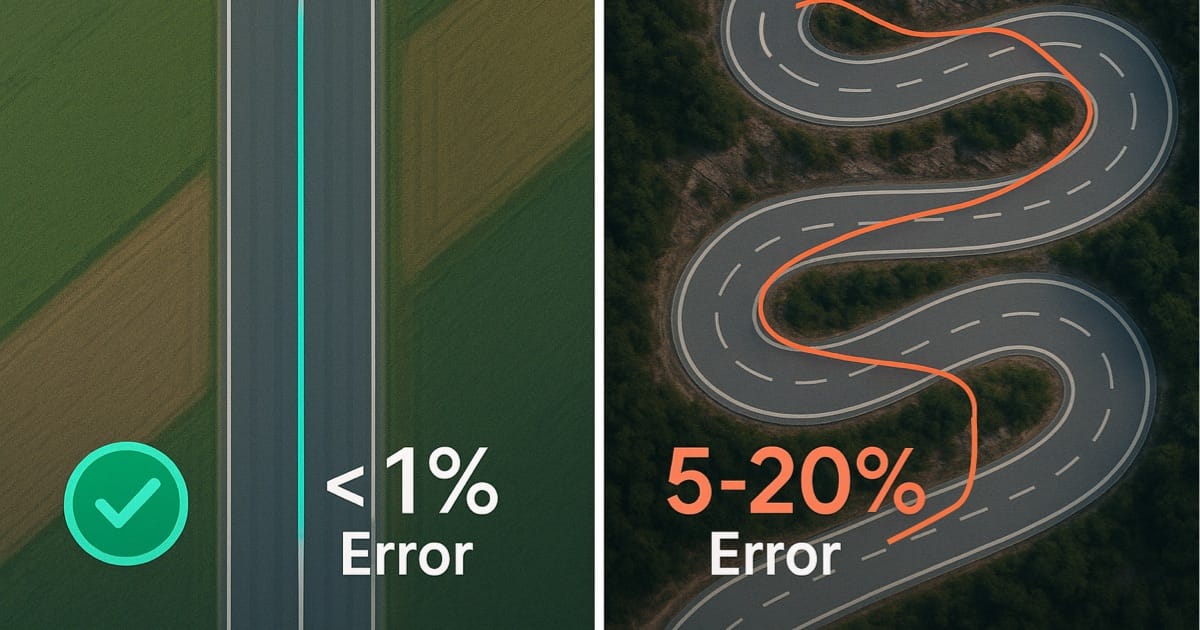
Table of Contents
Introduction
You’re carving through a mountain switchback at what feels like 50 mph80 km/h. Your heart rate’s up, you’re focused, you’re committed to the line. Then you glance at your GPS speedometer: 45 mph72 km/h.
Wait, what?
On the straight highway 20 minutes ago, GPS matched reality perfectly. Now it’s telling you you’re going 10% slower than you actually are. Your GPS isn’t broken—it’s just doing what all GPS receivers do when faced with curves: taking shortcuts.
Here’s the problem: Your iPhone’s GPS checks your position once per second. In that one second at 50 mph80 km/h, you’ve traveled 73 feet22 meters—enough to complete most of a corner. GPS connects those two points with a straight line, cutting the corner short. It’s like measuring a racetrack by drawing straight lines between the corners instead of following the actual curves. You end up with a shorter distance, and shorter distance means lower calculated speed.
This isn’t some obscure technical glitch. It affects every GPS speedometer on every curved road. Understanding why this happens—and how much error to expect—helps you actually trust (or not trust) those speed readings when it matters. (Want to understand the basics first? Read our guide on how GPS speedometers work.)
Key Takeaways
- GPS samples position 1 time per second (1Hz) on standard iPhone receivers, missing curve detail
- Corner clipping creates 2-5% under-reading on moderate curves, up to 10% on hairpins
- Straight-line distance calculations between GPS points cut corners short
- Higher update rates (5-10Hz) dramatically improve curve accuracy by capturing more position points
- Straight roads have <1% GPS error under optimal conditions
- Professional racing systems use 10-100Hz for precise track measurements
- GPS Hz rate matters more on curves than satellite count or signal strength
- 1 Hz is perfect for everyday driving where speed limits are enforced on straights
Understanding GPS Position Sampling and Update Rates
Before diving into curve-specific problems, you need to understand how GPS receivers sample position over time—this fundamental process determines all speed calculations. (For a deeper dive into GPS technology, see our guide on how GPS speedometers work.)
What Is GPS Update Rate (Hz)?
Think of GPS update rate as how many “snapshots” your phone takes of your location every second. More snapshots = more detail = better accuracy on curves.
Your iPhone: 1 Hz (1 snapshot per second)
- One position reading every second
- At 60 mph97 km/h, that’s 88 feet27 meters between snapshots
- Perfect for highways and everyday driving
- Less accurate on very tight curves (hairpins, track corners)
- What 99% of people use
Dedicated GPS devices: 5-10 Hz (5-10 snapshots per second)
- Position readings every 0.1-0.2 seconds
- At 60 mph97 km/h, that’s 8-17 feet2.4-5.2 meters between snapshots
- Captures curve detail way better
- Costs $100-300
Performance boxes: 20-25 Hz (like Dragy)
- Position readings 20-25 times per second
- Excellent accuracy for track days
- Costs around $200-300
Professional racing telemetry: 50-100 Hz
- What Formula 1 teams use
- Costs $10,000-50,000+
The jump from 1 Hz to 5 Hz is huge on curves—literally five times more data points to trace the actual path you drove.
How GPS Calculates Speed From Position
GPS uses two primary methods to determine speed, and understanding both reveals why curves create unique challenges. For more detail on these methods, read our article on how GPS speedometers work.
Method 1: Position-based calculation
- Record position at time T1 (latitude, longitude)
- Record position at time T2 (latitude, longitude)
- Calculate straight-line distance between points
- Divide distance by time elapsed
- Report speed = distance ÷ time
Example on straight road:
- Position 1: 40.7128° N, 74.0060° W at 0.00 seconds
- Position 2: 40.7129° N, 74.0059° W at 1.00 seconds
- Distance: 100 feet30.5 meters actual path traveled
- Speed: 68.2 mph109.8 km/h ✓ Accurate
Same example on curved road:
- Position 1: Start of 90° corner at 0.00 seconds
- Position 2: End of 90° corner at 1.00 seconds
- GPS calculates: Straight-line distance (chord)
- Actual path: Curved arc (longer than chord)
- Result: Speed under-reported
Method 2: Doppler shift measurement
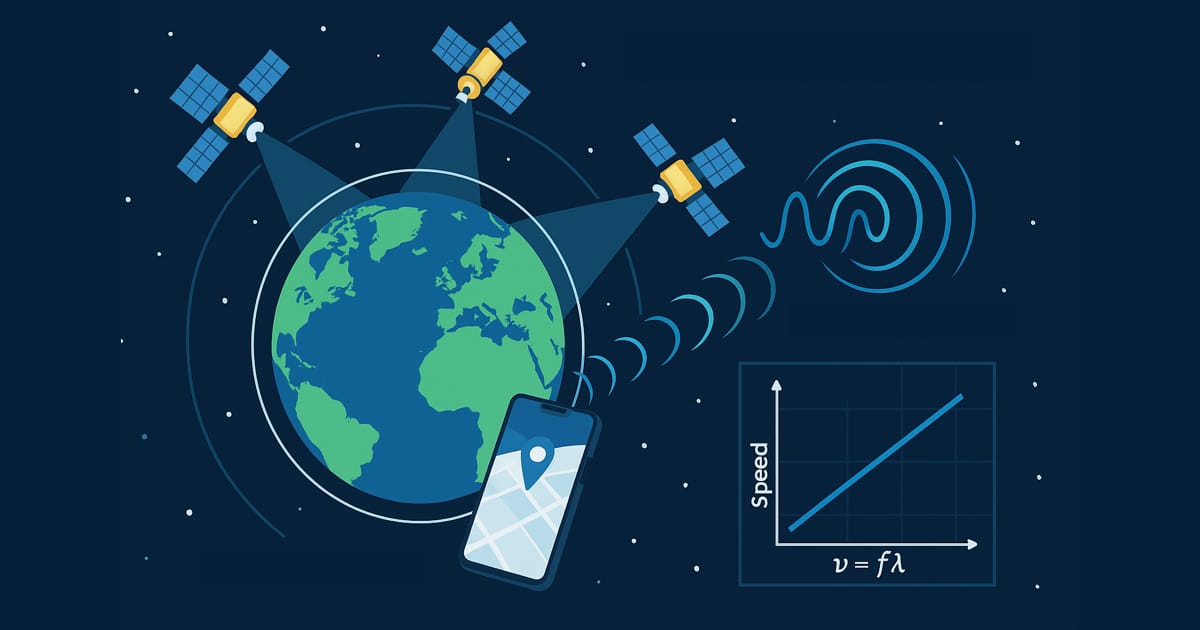
GPS satellites transmit at precise frequencies. As you move relative to satellites, received frequencies shift (Doppler effect). This shift directly indicates velocity without requiring position accuracy.
Doppler advantages:
- Direct velocity measurement
- Not dependent on position accuracy
- Less affected by multipath errors
- Smooth readings even with position noise
Doppler limitations on curves:
- Measures velocity component toward/away from satellites
- Rapid direction changes confuse velocity vectors
- Requires multiple satellite Doppler measurements
- Accuracy degrades during turns and acceleration
Modern GPS receivers combine both methods, but position-based calculation dominates speed readings—which is exactly where curve problems arise.
The Sampling Rate Problem
At 1 Hz (standard smartphone rate), GPS records your position once per second. If you’re driving 60 mph97 km/h, you travel 88 feet27 meters between position samples—far enough to complete most corner entries or exits.
Distance traveled between GPS samples:
| Speed | 1 Hz (1/sec) | 5 Hz (0.2/sec) | 10 Hz (0.1/sec) |
|---|---|---|---|
| 30 mph48 km/h | 44 feet13.4 m | 8.8 feet2.7 m | 4.4 feet1.3 m |
| 45 mph72 km/h | 66 feet20.1 m | 13.2 feet4.0 m | 6.6 feet2.0 m |
| 60 mph97 km/h | 88 feet26.8 m | 17.6 feet5.4 m | 8.8 feet2.7 m |
| 75 mph121 km/h | 110 feet33.5 m | 22 feet6.7 m | 11 feet3.4 m |
On a tight hairpin turn with 100-foot30-meter radius, 1 Hz GPS captures only 2-3 position points through the entire corner. That’s insufficient data to accurately trace the curved path—GPS simply draws straight lines between these few points, cutting the corner short.
The Corner Clipping Phenomenon
Corner clipping (also called corner truncation) is the primary cause of GPS under-reading on curves. According to Wikipedia’s GPS error analysis, this geometric problem occurs when GPS calculates straight-line distance between widely-spaced position samples rather than measuring the actual curved path traveled.
How Corner Clipping Works
Imagine driving a perfect 90-degree corner with a 164-foot50-meter radius. Your actual path follows the curved arc, traveling approximately 257 feet78.5 meters (πr/2). But 1 Hz GPS samples your position at the corner entry and corner exit—two points separated by a straight line.
Geometry of corner clipping:
Actual path (arc length):
- 90° corner with 164-foot50-meter radius
- Arc length: πr/2 = π(50)/2 = 257 feet78.5 meters
- Distance traveled: 257 feet78.5 meters
GPS measurement (chord length):
- Straight line connecting entry and exit points
- Chord length: r√2 = 50√2 = 232 feet70.7 meters
- GPS calculates: 232 feet70.7 meters
Error:
- Under-reading: 25.6 feet7.8 meters
- Error percentage: 7.8/78.5 = 9.9% under-reading
This 10% error on a single 90-degree corner significantly impacts speed calculations—if GPS thinks you traveled 232 feet70 meters when you actually traveled 257 feet78 meters, it reports speed 10% too low.
Real-World Corner Clipping Examples
Gentle highway curve (3,281-foot1,000-meter radius, 15° bend):
- Actual distance: 859 feet261.8 meters
- GPS 1 Hz chord: 855 feet260.5 meters
- Error: 0.5% under-reading
- Speed impact: Negligible
Moderate mountain road (328-foot100-meter radius, 45° bend):
- Actual distance: 257 feet78.5 meters
- GPS 1 Hz chord: 251 feet76.5 meters
- Error: 2.5% under-reading
- Speed impact: Noticeable (50 mph80 km/h shows as 48.8 mph78.5 km/h)
Tight hairpin (164-foot50-meter radius, 120° bend):
- Actual distance: 343 feet104.7 meters
- GPS 1 Hz chord: 284 feet86.6 meters
- Error: 17.3% under-reading
- Speed impact: Significant (40 mph64 km/h shows as 33 mph53 km/h)
Autocross/gymkhana (66-foot20-meter radius, 180° bend):
- Actual distance: 206 feet62.8 meters
- GPS 1 Hz chord: 131 feet40 meters
- Error: 36% under-reading
- Speed impact: Extreme (30 mph48 km/h shows as 19 mph31 km/h)
The tighter the curve and the larger the angle, the worse corner clipping becomes. GPS systematically under-reads speed on turns because straight-line distance calculations miss the extra distance traveled following curved paths.
Visualization of GPS Path vs Actual Path
Picture a winding mountain road with five consecutive switchbacks. Your vehicle follows the snaking path precisely, traveling perhaps 1,640 feet500 meters through the sequence. But 1 Hz GPS captures only 5 position points—one at the beginning, one after each switchback, and one at the end.
When GPS connects these five points with straight lines, it creates a simplified, jagged representation of your actual smooth curved path. Each straight-line segment cuts across the inside of each curve, shortening the calculated distance by 5-15% per corner. Over five switchbacks, cumulative error reaches 20-30%.
This is why GPS tracks often look like simplified, angular approximations of actual roads when viewing recorded routes—especially at lower sampling rates.
GPS Accuracy on Straight Roads: The Baseline
To appreciate GPS curve problems, first understand GPS performance on straight roads—the ideal scenario where GPS technology excels.
Optimal GPS Performance Conditions
Straight roads with clear sky visibility provide perfect conditions for GPS accuracy. No curves to clip, constant heading, and simple distance calculations.
Factors enabling optimal straight-road accuracy:
Satellite geometry:
- 8-12 satellites visible
- Wide angular distribution
- Low HDOP - Horizontal Dilution of Precision (<2 is excellent)
- Multiple orbital planes
Signal quality:
- Direct line-of-sight to satellites
- Minimal multipath interference
- Clear atmospheric conditions
- Dual-frequency GPS (L1 + L5) on iPhone 14 Pro and newer
Motion characteristics:
- Constant heading (no direction changes)
- Steady speed (minimal acceleration)
- Predictable velocity vector
- Doppler shift clearly defined
Environmental factors:
- Open highway or rural road
- No tall buildings or terrain
- Minimal tree canopy
- Good weather
Under these conditions, GPS accuracy reaches its peak performance, typically ±7-16 feet±2-5 meters for position and ±0.1 mph±0.16 km/h for speed.
Straight Road Speed Accuracy Measurements
Real-world testing consistently demonstrates GPS speed accuracy well under 1% on straight roads.
Highway test scenario:
- Location: Interstate 80, Nebraska
- Conditions: Clear sky, flat terrain, 70 mph113 km/h speed limit
- Device: iPhone 14 Pro (dual-frequency GPS)
- Reference: Mile marker timing over 5 miles8 km
Results:
- True speed (mile marker method): 70.0 mph112.7 km/h
- GPS reading: 69.9-70.1 mph112.5-112.8 km/h
- Average error: ±0.1 mph±0.2 km/h
- Error percentage: 0.14%
Multiple speed test results:
| True Speed | GPS Average | Error | % Error |
|---|---|---|---|
| 30 mph48 km/h | 30.1 mph48.4 km/h | +0.1 mph+0.2 km/h | 0.33% |
| 45 mph72 km/h | 45.0 mph72.4 km/h | 0.0 mph0.0 km/h | 0.00% |
| 60 mph97 km/h | 59.9 mph96.4 km/h | -0.1 mph-0.2 km/h | 0.17% |
| 75 mph121 km/h | 75.2 mph121 km/h | +0.2 mph+0.3 km/h | 0.27% |
These sub-1% errors represent near-perfect accuracy—GPS speed on straight roads rivals professional timing equipment.
Why Straight Roads Are Ideal for GPS
The mathematical simplicity of straight-line motion eliminates most GPS calculation challenges.
Straight-line advantages:
Distance calculation:
- Position 1 to Position 2 follows actual path
- No corner clipping
- Straight-line distance = actual distance traveled
- Haversine formula accurately calculates distance
Velocity determination:
- Constant heading simplifies Doppler calculations
- Satellite velocity vectors change gradually
- Direction changes are minimal
- Acceleration typically gradual
Error cancellation:
- Position errors in same direction cancel out
- Atmospheric delays affect consecutive measurements similarly
- Short-term position noise averages out
- Systematic errors remain constant
Update rate less critical:
- Even 1 Hz captures straight motion adequately
- Position samples along same line
- Missing intermediate points doesn’t lose path information
- Speed calculation remains accurate
On straight roads, GPS technology performs exactly as designed—providing excellent absolute accuracy that typically exceeds the precision of car speedometers, which intentionally over-read by 3-10%.
GPS Performance on Curved and Winding Roads
Curves introduce fundamental challenges that degrade GPS accuracy, particularly at standard update rates. Understanding these challenges helps explain observed GPS behavior on mountain roads, racetracks, and winding routes.
Real-World Curve Performance
According to research on GPS positioning errors, GPS accuracy degrades significantly on curves due to the sampling rate limitations and straight-line interpolation between position fixes.
Highway ramps (gentle curves):
- Your iPhone: 1-3% under-reading
- Shows 43-44 mph69-71 km/h when you’re doing 45 mph72 km/h
- Barely noticeable
Mountain switchbacks (tight curves):
- Your iPhone: 5-10% under-reading
- Shows 30 mph48 km/h when you’re doing 33-35 mph53-56 km/h
- Obviously off
Hairpins (extreme curves):
- Your iPhone: 10-20% under-reading
- Shows 20 mph32 km/h when you’re doing 25 mph40 km/h
- Massively inaccurate—GPS basically draws a straight line across the hairpin
The pattern is clear: tighter curves = bigger errors. And it’s not your phone being cheap—it’s fundamental to how 1 Hz GPS works. Devices like Dragy (25 Hz, $219) fix this problem for track days. Professional F1 telemetry (50-100 Hz) costs $10,000-50,000.
Continuous Winding Roads (Canyon Carving)
Roads with continuous flowing curves present sustained GPS challenges. Unlike isolated corners with straight sections between, continuous winding roads never give GPS a chance to “reset” accuracy on straights.
Continuous curve characteristics:
- Constant radius changes
- Linked curve sequences
- No straight sections
- Popular with motorcyclists and cycling enthusiasts
Cumulative error problem:
When corners connect without straight sections, GPS corner clipping errors accumulate. Each curve adds 1-5% under-reading, and without straight sections to provide accurate references, total distance error grows.
5-mile8 km winding road example:
- Actual distance: 5.00 miles8.05 km
- 1 Hz GPS measures: 4.70-4.85 miles7.56-7.80 km - 3-6% short
- 5 Hz GPS measures: 4.90-4.95 miles7.88-7.96 km - 1-2% short
- 10 Hz GPS measures: 4.95-4.98 miles7.96-8.01 km - <1% short
This cumulative under-reading explains why GPS-based trip meters read low on very twisty routes—you’ve actually traveled farther than GPS calculates.
The Math Behind GPS Curve Errors (Simple Version)
Here’s the core problem in plain English: GPS measures distance using straight lines between position points. Curves aren’t straight. That mismatch is where all the error comes from.
Straight Line vs Curved Path
Imagine a 90-degree corner with a 164-foot50-meter radius (pretty typical for a mountain road). If you follow the actual curved path, you travel 257 feet78.5 meters. But GPS just connects the entry and exit points with a straight line—that measures only 232 feet70.7 meters.
The result: GPS thinks you traveled 25.6 feet7.8 meters less than you actually did. That’s a 10% error on a single corner.
The worse the curve, the worse the error:
| Curve Type | Angle | Error |
|---|---|---|
| Gentle highway curve | 30° | 0.8% low |
| Moderate turn | 60° | 4.6% low |
| Sharp 90° corner | 90° | 9.9% low |
| Tight switchback | 120° | 17.3% low |
| Hairpin | 180° | 36.4% low |
Notice how the error explodes as curves get tighter? That’s why your GPS reads 45 mph72 km/h on a hairpin when you’re actually doing 55 mph89 km/h—over 36% error.
The Speed Problem
Here’s where it gets worse: the faster you go through a curve, the fewer GPS snapshots you get.
Slow hairpin (20 mph32 km/h, takes 6 seconds):
- 1 Hz iPhone GPS: 6 position points
- Not great, but captures the basic shape
Fast chicane (50 mph80 km/h, takes 1.3 seconds):
- 1 Hz iPhone GPS: 1-2 position points
- Not enough data points to trace the curve accurately
This is why track day lap timing requires dedicated GPS devices. At racing speeds through tight corners, 1 Hz doesn’t capture enough detail for precise corner analysis—though it still works fine for overall speed monitoring.
What Update Rate Do You Actually Need?
For 99% of drivers: 1 Hz (your iPhone) is fine
- Perfect on straight roads where speed limits matter
- Acceptable on highway curves
- Free (you already own it)
- GPS Speedometer app uses your iPhone’s standard GPS
For track days & performance testing: 20-25 Hz
- Devices like Dragy: $219
- Captures corner detail accurately
- Perfect for 0-60, lap times, drag racing
For professional racing: 50-100 Hz
- Costs $10,000-50,000+
- F1-grade accuracy
- Overkill for everyone else
Technical Factors Affecting GPS Accuracy on Curves
Beyond update rate, several technical factors influence how accurately GPS tracks curved path movement.
Why GPS Speed “Lags” in Corners
GPS smoothing algorithms can actually make curve accuracy worse. They’re designed to filter out noise on straight roads, but they interpret your actual turn as noise and try to “smooth it out”—cutting the corner even more.
This creates the lag you notice: GPS is slow to realize you’ve entered a turn, reads low through the apex, then takes a second to catch up when you straighten out. This is a fundamental limitation of 1 Hz sampling—not something any app can fix.
Satellite Geometry Changes During Turns
According to Penn State’s GPS error analysis, satellite geometry significantly impacts GPS accuracy. As you turn through curves, the relationship between your receiver and satellites shifts, temporarily degrading precision.
What affects accuracy on curves:
- HDOP increases (Horizontal Dilution of Precision—basically GPS getting less accurate) during rapid heading changes
- Phone orientation matters: flat on dashboard = best, in cupholder = worst
- Multipath errors: Mountains and canyons reflect GPS signals, adding noise exactly where curves are tightest
- Motorcycles have an advantage: no roof blocking satellites
How Professional Racing Solves This Problem
Formula 1 teams aren’t using iPhones for lap timing. Here’s what they use instead—and why it costs as much as a car.
How Professional Systems Solve This
Professional racing GPS systems operate at 50-100 Hz—that’s 50-100 position snapshots per second, compared to your iPhone’s 1 snapshot per second.
What higher update rates buy you:
| System | Update Rate | Hairpin Accuracy | Cost |
|---|---|---|---|
| Your iPhone | 1 Hz | ±10-20% error | $0 (free) |
| Dedicated GPS | 5-10 Hz | ±2-5% error | $100-300 |
| Dragy Performance Box | 25 Hz | ±1% error | $219 |
| VBOX Sport | 20 Hz | ±1% error | $540-800 |
| F1 telemetry | 50-100 Hz | ±0.1% error | $10,000-50,000+ |
For everyday driving, your iPhone’s free GPS is perfect. For track days, Dragy ($219) or VBOX Sport ($540-800) are great options depending on your needs and budget.
Why Professional Systems Cost So Much
It’s not just about update rate. Professional GPS systems combine multiple technologies:
RTK corrections (Real-Time Kinematic):
- Uses a fixed base station broadcasting correction signals
- Achieves centimeter-level accuracy
- Eliminates atmospheric errors
- Requires cellular or radio link
- Adds $5,000-20,000 to system cost
IMU sensors (Inertial Measurement Unit):
- High-precision accelerometers and gyroscopes
- Updates 100-1000 times per second
- Detects direction changes instantly
- Maintains speed estimates during brief GPS dropouts
- Costs $2,000-10,000 for professional-grade units
These professional IMU systems are orders of magnitude more precise than consumer-grade sensors, enabling centimeter-level position tracking even during GPS signal loss.
Who Actually Needs Better GPS?
Everyday drivers: Your iPhone is fine. GPS reads perfectly on highways where speed limits matter. On twisty backroads, you might be going 2-3 mph3-5 km/h faster than GPS shows—just add a mental buffer. The GPS Speedometer app is accurate enough for daily driving.
Motorcyclists & cyclists: You have an advantage (no roof blocking satellites), but you’re also seeking out the curviest roads. Your iPhone’s 1 Hz GPS will under-read on tight curves. GPS Speedometer works great for motorcycle and cycling speedometer needs, just know the limitations on hairpins.
Track day enthusiasts: Get a Dragy ($219) or similar 20-25 Hz device if you need precise lap timing and corner analysis. Your iPhone works for casual track days but won’t give you the corner-by-corner accuracy needed for serious performance analysis.
Professional racers: You’re already using $50,000+ telemetry systems. This blog post isn’t for you.
Improving GPS Accuracy on Winding Roads
While you can’t change GPS satellite positions or the 1 Hz update rate of iPhone GPS, several strategies maximize accuracy through curves.
Optimize Phone Mounting Position
GPS signal quality depends heavily on antenna sky visibility. Proper phone mounting improves satellite reception.
Best mounting practices:
For cars:
- Dashboard mount facing up through windshield
- Windshield mount (check local laws)
- Center console if no sunroof obstruction
- Use HUD mode to view reflection in windshield
Avoid:
- Cupholder (poor sky view)
- Lap or seat (body obstruction)
- Dashboard face-down
- Closed compartments
For motorcycles/bikes:
- Handlebar mount (ideal - no roof obstruction)
- Tank bag with clear window
- RAM mounting systems
- Waterproof case doesn’t significantly affect GPS
For convertibles:
- Top down provides perfect GPS performance
- Consider marine speedometer features for open-air vehicles
Understand and Accept Standard iPhone GPS Limitations
iPhones use standard 1 Hz GPS—the same rate as most consumer smartphones. Understanding these limitations prevents unrealistic expectations.
Accept these facts:
- 1 Hz iPhone GPS will under-read on curves (2-10%)
- Very tight hairpins challenge even iPhone’s GPS
- Tunnels and overpasses briefly interrupt GPS
- Urban canyons cause temporary errors
- This is normal for all consumer smartphones
Work with limitations:
- GPS excels on straights (use as accuracy reference there)
- Curve speeds are comparative (good for comparing runs)
- Absolute accuracy matters less than relative accuracy
- Professional systems cost thousands for good reason
Choose Apps Designed for Accurate GPS Speed Tracking
The best GPS speedometer apps focus on displaying accurate GPS data clearly and reliably, without trying to “fix” the fundamental 1 Hz limitation with smoothing or filtering that can introduce inaccuracies.
GPS Speedometer uses pure GPS data from your iPhone for accurate speed readings on straight roads where it matters most.
Consider Special Features for Specific Use Cases
Different app features optimize for various driving scenarios:
- Projects speed onto windshield
- Perfect for winding roads where you need eyes on road
- Great for classic cars, RVs, and motorcycles
Picture-in-picture mode: (Premium)
- Shows speed while using navigation
- Essential for unfamiliar winding roads
- Maintains GPS accuracy while multitasking
Trip recording:
- Records entire route including curves
- Useful for analyzing favorite roads
- Shows cumulative curve effects
Speed limit alerts: (Premium)
- Warns when exceeding limits
- Helps stay safe on winding roads
- Integrates with GPS speed data
Frequently Asked Questions
Why does my GPS speedometer read slower on winding roads?
GPS calculates distance by connecting position samples (taken once per second on iPhones) with straight lines. On curves, these straight lines cut across the curved path (corner clipping), measuring less distance than you actually traveled. Since speed equals distance divided by time, under-measured distance results in under-read speed. This effect is strongest on tight curves and improves on gentle curves or straight roads.
How much does GPS under-read speed on curves?
Typical GPS under-reading ranges from 1-3% on gentle highway curves to 5-10% on tight mountain switchbacks using standard 1 Hz GPS. Hairpin turns can show 10-20% under-reading. Straight roads show <1% error, providing GPS accuracy baseline. The tighter the curve and the larger the angle change, the more GPS under-reads speed.
What is corner clipping in GPS tracking?
Corner clipping (or corner truncation) occurs when GPS draws straight lines between widely-spaced position samples instead of following the curved path. On a map, GPS tracks appear to cut across corners rather than following the road precisely. This creates a simplified, angular representation of curved roads, resulting in under-measured distance and speed on winding routes with standard 1 Hz GPS.
Does GPS update rate (Hz) really matter for accuracy?
Yes, dramatically. Update rate determines how many position samples GPS captures through curves. At 1 Hz (standard iPhone rate, 1 sample/second) driving 60 mph97 km/h, GPS samples every 88 feet27 meters—insufficient for tight curves. At 5 Hz, GPS samples every 17.6 feet5.4 meters, capturing curve detail much better. However, iPhones are limited to 1 Hz GPS hardware, which provides excellent accuracy on straight roads and acceptable accuracy on moderate curves.
Is GPS more accurate on straight roads than curves?
Absolutely. GPS position-based speed calculation works best when actual path matches straight-line distance between position samples. On straight roads, 1 Hz GPS achieves <1% error. On curves, straight-line calculations miss the extra curved distance, creating 2-10% under-reading depending on curve tightness. Straight road GPS accuracy represents the technology’s peak performance.
Can GPS accurately measure speed on race tracks?
Consumer 1 Hz GPS (standard iPhone) under-reads by 5-15% through tight track corners due to corner clipping. It works fine for monitoring overall speed but isn’t precise enough for competitive lap timing. Performance boxes like Dragy (25 Hz, $219) provide good track accuracy for enthusiasts. Professional racing requires 50-100 Hz systems ($10,000+) with inertial measurement units and RTK corrections for centimeter-level precision.
Why is my GPS speed jumpy on winding roads?
GPS speed fluctuations on curves result from corner clipping variability—depending on exactly where GPS samples position relative to the curve, calculated speed jumps up and down. This is normal behavior for 1 Hz GPS on winding roads. GPS Speedometer displays the actual GPS data accurately, which may show these natural fluctuations through tight curves.
Does GPS work better for motorcycles on twisty roads?
Motorcycles and bicycles have advantages for GPS accuracy: no roof obstruction (perfect sky view), stable mounting position, and typically slower speeds through curves (more GPS samples per corner). However, the same corner clipping problems affect all vehicles equally at 1 Hz GPS. Motorcyclists benefit from proper mounting and apps designed for motorcycle speedometer applications, though the fundamental 1 Hz limitation remains for iPhone users.
The Bottom Line
Your iPhone’s GPS is essentially perfect on straight roads—under 1% error, often more accurate than your car’s speedometer. But throw in some curves and that accuracy drops to somewhere between “pretty good” (2-3% on gentle highway ramps) and “not even close” (20%+ on hairpins).
This isn’t a bug. It’s physics. Your iPhone samples position once per second. At highway speeds, that’s 88 feet27 meters between snapshots. GPS connects those dots with straight lines, cutting corners short. Tighter curves = more corner cutting = bigger errors.
Can you fix it? Not really. iPhones are locked to 1 Hz GPS. You’d need a dedicated performance box like Dragy (25 Hz, $219) for track days, or professional racing telemetry (50-100 Hz, $10,000+) for F1-grade accuracy. For 99% of drivers, that doesn’t make sense.
What you CAN do is understand the limitation. If your GPS shows 45 mph72 km/h on a mountain switchback, you might actually be doing 50 mph80 km/h. Add a mental buffer on winding roads, or just accept that GPS speed on curves is approximate. On straights—where speed limits actually get enforced—GPS is dead-on accurate.
Download GPS Speedometer for iPhone. It displays pure GPS data accurately—perfect for straight roads where speed limits matter. Free to download with core speed tracking features included. Premium features available for enhanced functionality like HUD mode, picture-in-picture, and speed limit alerts.