
Automatic Speed Limit Alerts
Real-time speed limit detection with customizable visual, audio, and haptic warnings. Stay aware of the limit on every road, even when you forget to look. Works in the background, integrates with HUD and PIP.

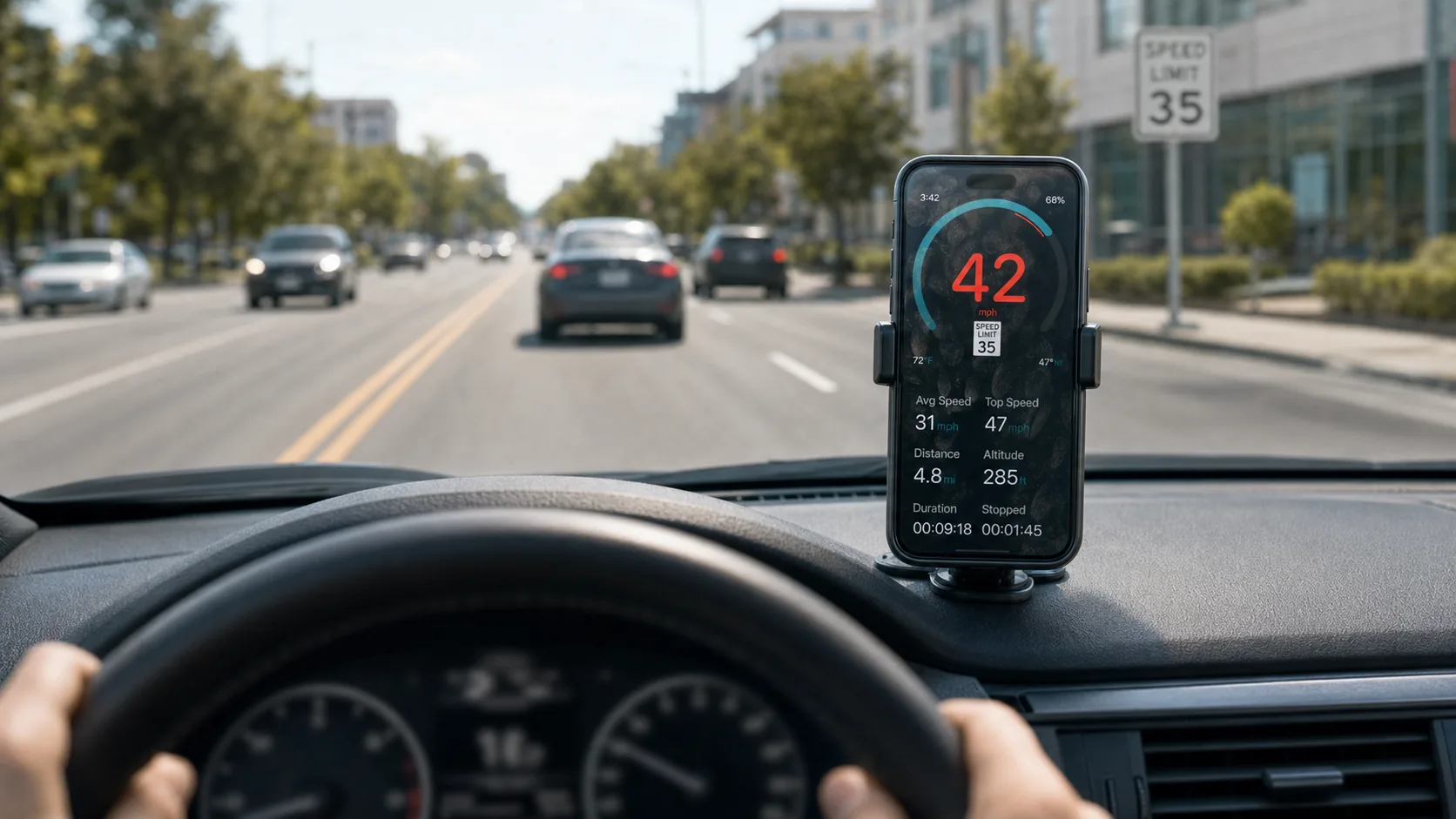
How Speed Limit Detection Works
Three steps under the hood: your iPhone gets a GPS fix (latitude, longitude, heading), the app matches that to the road segment you're on, and looks up the cached speed limit for that segment. The road data comes from a continuously-updated database; once you've driven a road, the limit caches locally for offline use. No manual entry, no guessing.
GPS-driven, automatic
The app reads your position from satellites and looks up the speed limit for that road segment — no need to enter limits manually.
Customizable threshold
Set how much over the limit triggers the alert (0 mph, +5, +10, etc.) — match your driving style or the local enforcement tolerance.
Visual + audio + haptic
Pick how you want to be warned: red number flash, voice announcement, sound chime, or phone vibration — or any combination.
Speed Limit Features
Six features specifically built around the speed-limit-detection workflow. Everything from how you get warned to where the data comes from.
Auto Speed Limit Lookup
Reads the current road's speed limit from a continuously-updated database, no manual entry required.
Customizable Threshold
Trigger the alert at exactly the limit, or at +5/+10 mph above — match your tolerance for slack.
Visual Alert
Speed numeral turns red and pulses when you cross your threshold. Glanceable, hard to miss.
Voice Announcements
Hands-free spoken warnings ("Speed limit forty-five") — useful when your eyes are on the road.
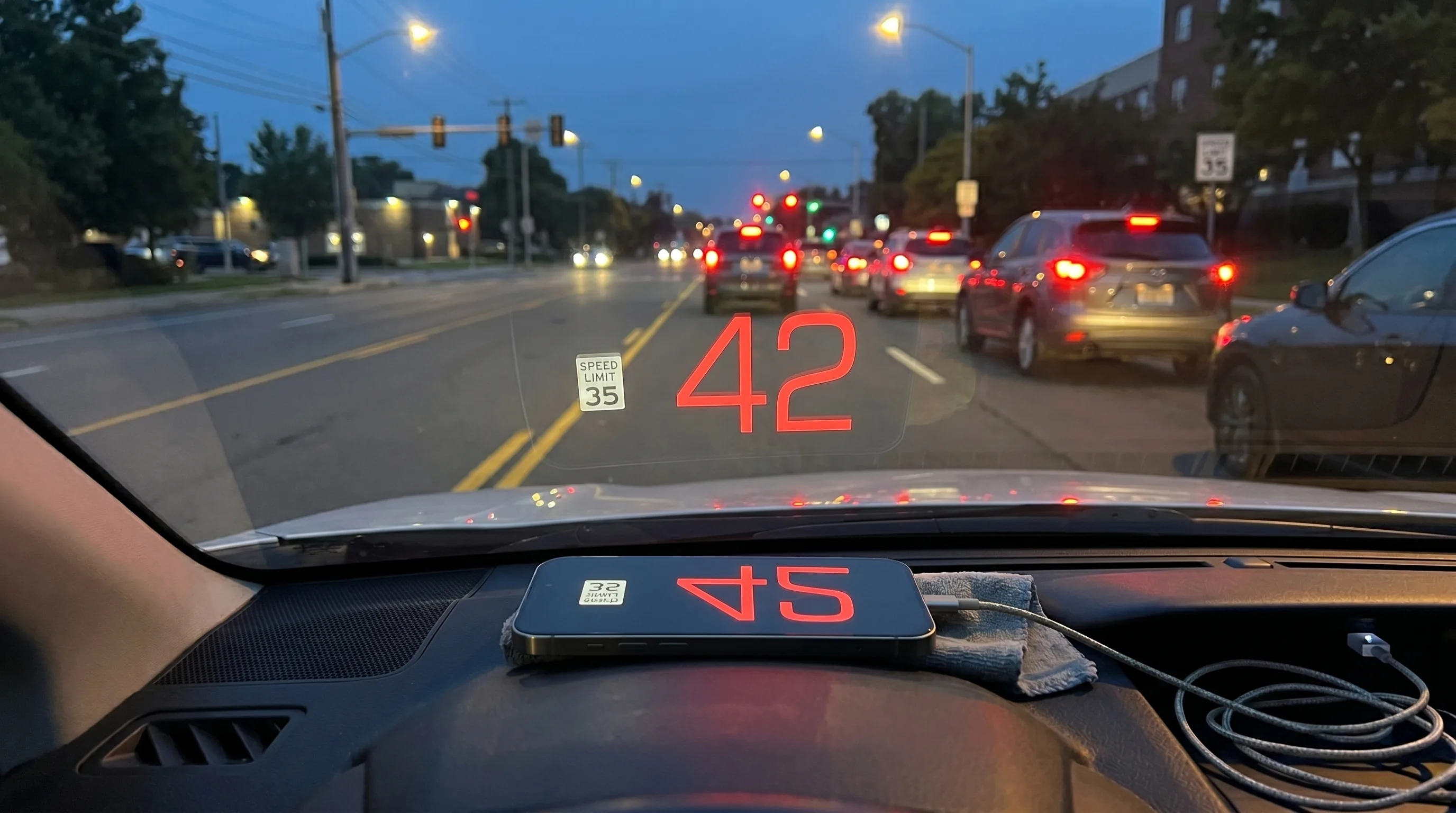
Works in HUD Mode
Speed limit alerts work in HUD windshield-projection mode, too.
Works in PiP Mode
Picture-in-Picture overlay shows the speed limit alongside your speed, even when you're using a nav app.
Who Uses Speed Limit Alerts
Daily Commuters
- Avoid speeding tickets on the daily route
- Stay calm in heavy traffic — no manual checking
- Pairs well with school-zone awareness
Professional Drivers
- Rideshare / delivery — protect your license
- Track-record clean for insurance + employer compliance
- Visible alerts work even with multiple apps open
Road Trippers
- Speed limits change state-by-state, country-by-country
- Auto-detection beats memorizing the new local rules
- Especially useful on rural highways with unfamiliar limits
New Drivers
- Build the habit of speed-limit awareness
- Reduce ticket risk during the early years
- Useful supplement to driving lessons
- Glance-friendly visual alerts at high speeds
- Voice announcements through helmet Bluetooth
- Track-day vs road-mode toggleable
Visiting Foreign Drivers
- Speed limit signs in unfamiliar units / formats
- Auto-converts to your preferred MPH or KPH display
- No need to memorize local conventions
Set Up Speed Limit Alerts
Download GPS Speedometer
Free download from the App Store. Open the app and grant location access.

Enable Speed Limit Alerts
Go to Settings → Speed Limits → toggle on. Pick your alert types (visual, audio, haptic) and threshold.
Mount Your iPhone
Use a dashboard or windshield mount so you can glance at the alert without taking your eyes off the road for long.
Drive
GPS Speedometer works in the background — alerts trigger automatically as you cross the threshold. No manual interaction required.
Pro Tips for Speed Limit Alerts
Set your threshold to your real tolerance
If you tend to drive +5 over comfortably, set the alert at +6 — fewer false positives, more meaningful warnings.
Use voice + haptic on the highway
Visual alerts can be missed when scanning lanes. Voice + vibration get through even when your eyes are off the screen.
Pair with HUD in low-light driving
Speed limit alerts in HUD mode keep your gaze on the road during night driving.
Keep your offline maps fresh
Speed limits update over time. Periodically open the app with a data connection to refresh the local database.
Speed Limit Alerts FAQ
Speed limit data comes from a continuously-updated road database (similar to what nav apps use). Coverage is excellent in major countries (US, EU, UK, Canada, Australia, Japan) and improves over time. Rural roads occasionally have outdated data — but the worst case is a missing limit, not a wrong one.
Virtually every country is supported — the only meaningful exception is mainland China, where the underlying road database has different licensing rules. Coverage *quality* varies by country: data is dense and reliable across the US, Canada, UK, EU, Australia, New Zealand, Japan, and most of Latin America and Southeast Asia; data can be scarce on some roads in less-mapped regions. If you hit a road with no detected limit, the app still shows your speed correctly — only the auto-detected limit indicator will be missing on that segment.
The speed limit lookup needs an initial data fetch when you start a trip in a new area. Once the local data is cached, the alerts work offline. For best results, start the app with an internet connection and let it pre-load your route.
Yes. You can set the alert to trigger at the exact limit, +3, +5, +10, or any custom value. Most users pick +5 mph (or +8 kph) as a reasonable margin.
Trust the physical sign — it's legally binding. Mark the road in-app to flag missing data; we use these reports to update the database for everyone.
Permanent school zones with consistent posted limits are detected. Temporary construction zones with variable limits are typically NOT in the speed-limit database — always trust the physical signage in active work zones.
You can configure how alerts interact with audio: ducking (lowers your music briefly), interrupting (pauses entirely), or layered (plays over music). Pick what fits your setup.
Speed-limit warning apps are legal in most countries. Some jurisdictions restrict speed-camera detection (different feature) — check local laws if you're also enabling camera alerts. Speed-limit alerts alone are universally legal.
Slightly — the lookup uses a small amount of CPU and occasional data. For multi-hour trips, plug into a USB charger. The alert engine itself is lightweight.
Related guides
Speed camera alerts
A separate alert layer — get warned about upcoming speed cameras across 40+ countries.
HUD speedometer guide
Project the over-limit alert onto the windshield.
Picture-in-Picture speedometer
Limit alert on top of any nav app.
Classic-car speedometer
Modern alerts in a vintage cruiser.
RV speedometer
RV-specific limits, often lower than passenger cars.
Scooter speedometer
Stay within city limits on a scooter or moped.
Motorcycle speedometer
Helmet Bluetooth + visual alerts at speed.
Drive Smarter with Automatic Alerts
Free download. Speed limit alerts included — no subscription required.
Visual, audio, haptic — pick your alert style