
How GPS Speed Tracking Works Without Internet (2025 Guide)
Learn why GPS speedometers work perfectly without internet. Understand what features need data, roaming-free travel tips, and the truth about offline GPS accuracy.
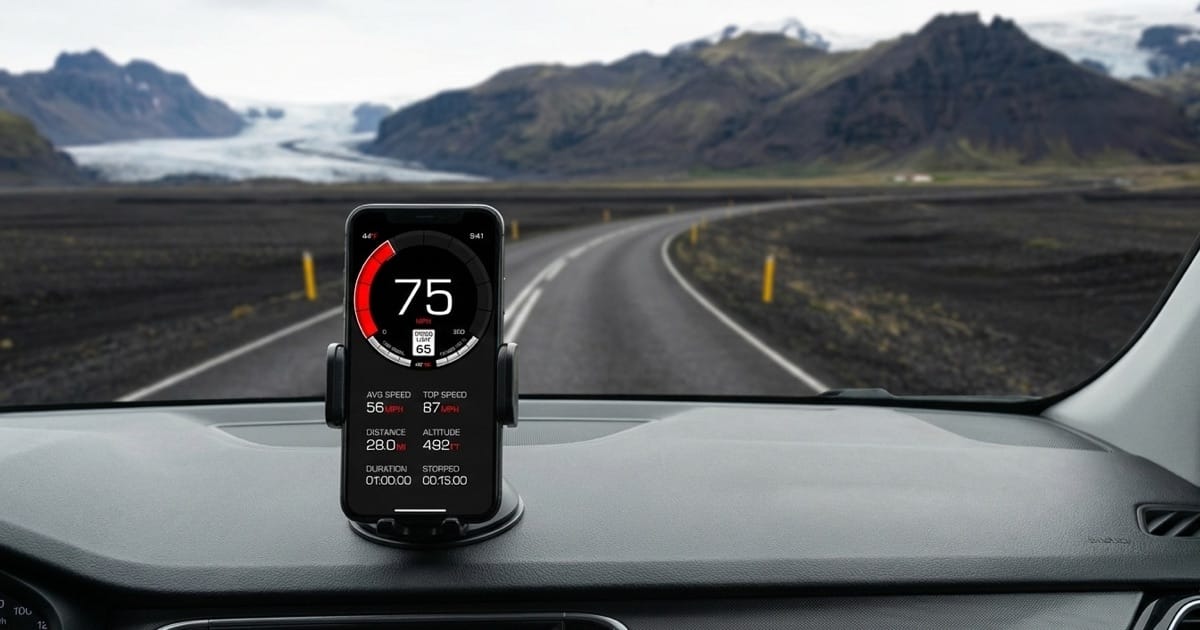
Table of Contents
Introduction
Picture this: you’re driving through Iceland’s Ring Road when your phone buzzes. “Welcome to Iceland. Would you like to activate roaming?” You decline and switch to airplane mode. A minute later, you glance at your GPS speedometer. It’s still working perfectly, showing 56 mph90 km/h as you cruise past black sand beaches.
Wait, how?
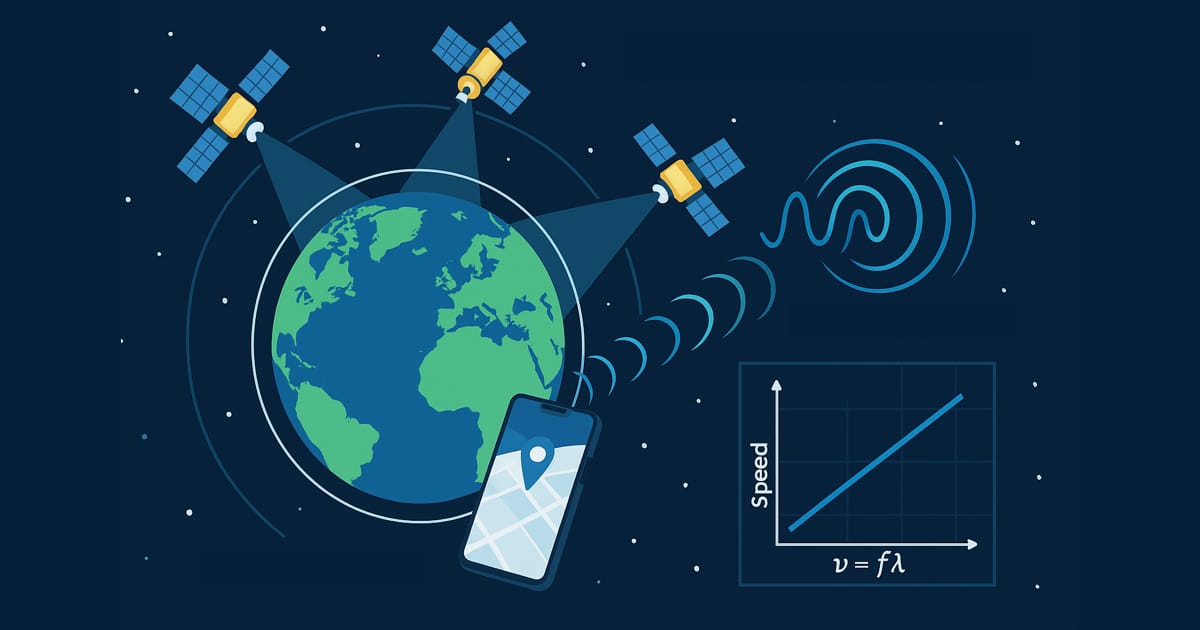
Most people assume GPS needs internet because that’s what Google Maps and Waze have trained us to think. Open them without data and you get a gray screen of nothing. But here’s the thing: GPS and internet are completely separate systems. GPS satellites broadcast signals from space, and your phone just listens, like picking up a radio station. No internet involved.
This guide breaks down what actually works offline, when you need a connection, and how to use GPS speed tracking anywhere without burning through your data plan.
Key Takeaways
- GPS satellites broadcast continuously - Your phone receives signals, doesn’t send anything back
- Core speed tracking works offline - Speed, distance, altitude, and trip recording need no internet
- First satellite lock takes longer without internet - 30-120 seconds instead of 5-10 seconds
- Same accuracy online or offline - 5-10 meters typical accuracy regardless of internet
- Maps and speed limits require internet - Visual display and online databases need connection
- Perfect for international travel - Avoid roaming charges while tracking speed
- Works in airplane mode - GPS functions independently of cellular/WiFi radios
Why People Think GPS Needs Internet
The confusion makes total sense. Try using Google Maps without internet and you get a gray grid and an error message. Apple Maps does the same thing. Waze won’t even load. When every navigation app you’ve ever used dies without data, it’s natural to think GPS itself needs internet.
Here’s what actually needs internet:
Navigation apps require connection for:
- Map tiles - The visual map images downloaded from servers
- Traffic data - Real-time congestion and incident reports
- Turn-by-turn directions - Route calculation and voice guidance
- Points of interest - Finding restaurants, gas stations, addresses
- Speed limit data - Online databases
But GPS (the system that determines your position and speed) works completely independently. Your phone has two separate chips: a GPS receiver and a cellular modem. Disabling one doesn’t affect the other.
Think of it this way: GPS is like a radio that receives broadcasts from satellites. You don’t need internet to hear FM radio, and you don’t need internet to receive GPS signals. The satellites are the broadcasters, your phone is just listening.
The Science: One-Way Communication From Space
GPS operates on a fundamentally different model than internet-based services. Understanding this reveals why offline functionality isn’t a limitation but rather how the system was designed from the beginning.
GPS signal flow (one direction only):
Satellites → Your phone
What satellites broadcast:
- Precise timestamp (from atomic clocks)
- Satellite position data (ephemeris)
- System health information (almanac)
- All transmitted continuously, 24/7/365
What your phone does:
- Listens passively to satellite signals
- Calculates distance to each satellite based on signal travel time
- Uses signals from 4+ satellites to determine 3D position
- Calculates speed from position changes over time
Your phone never transmits anything back to the satellites. It’s a receiver-only operation. This is why unlimited people can use GPS simultaneously. Satellites broadcast to everyone, no individual connections required.
For a deeper dive into how GPS calculates position and speed from satellite signals, read our guide on how GPS speedometers work.
What GPS Features Work Offline
Not all GPS speedometer features are created equal. Some work perfectly without internet, others absolutely require it. Here’s the complete breakdown:
Works WITHOUT Internet ✅
Speed tracking - Your current velocity displays in real-time. GPS Speedometer app updates speed continuously using position data from satellites alone, showing mphkm/h or knots depending on your preference.
Distance measurement - Total trip distance and cumulative odometer readings work offline. Distance calculations use coordinate changes, not internet data.
Altitude tracking - Elevation data comes from GPS satellites and your phone’s barometric pressure sensor (if enabled in app settings). The barometer helps refine altitude accuracy but isn’t required.
Trip recording - Your complete route saves locally on your device as you drive. Export these trips later when you have internet.
Coordinate display - Latitude and longitude show your exact position in various formats. Useful for emergency situations or geocaching.
Time tracking - GPS satellites carry atomic clocks and provide incredibly precise time. Your trip duration, start time, and elapsed time all work offline.
Basic HUD mode - The heads-up display that projects your speed on the windshield works without internet. Pure GPS data, no connection needed.
Compass heading - Your direction of travel derives from GPS movement vectors when you’re in motion.
Requires Internet ❌
Speed limit data - Current road speed limits are fetched from an online database that requires internet connection. This feature stops working when you lose connection.
Map display - Visual map tiles download from map servers. You can see your coordinates offline but not the pretty map underneath.
Weather information - Current temperature, conditions, and forecasts pull from weather APIs that need internet.
Address lookup - Converting coordinates to street addresses (reverse geocoding) requires server queries.
App updates - Downloading new app versions from the App Store obviously needs internet.
When using GPS Speedometer app, automatic speed limits will stop working in airplane mode while core speed and distance continue updating normally. The speed limit display will default to the last known value or your selected fallback setting.
GPS Lock Time: Cold Start vs Assisted GPS
The main difference you’ll notice between online and offline GPS is initial satellite acquisition time. Once locked, performance is identical.
Understanding GPS Lock States
Hot start (GPS recently used):
- GPS remembers recent satellite positions
- Lock time: Under 5 seconds
- Works whether online or offline
Warm start (GPS idle for hours):
- GPS has outdated satellite almanac data
- Lock time: 15-30 seconds offline, 5-10 seconds with A-GPS
- Common scenario: Phone idle overnight
Cold start (GPS reset or first use):
- GPS must search entire sky for satellites
- Lock time: 30-120 seconds offline, 5-10 seconds with A-GPS
- Happens after airplane flights, GPS turned off for days
What A-GPS (Assisted GPS) Does
A-GPS uses internet to download current satellite almanac data (basically a cheat sheet) telling your GPS chip where to find satellites right now instead of searching the entire sky.
With internet (A-GPS enabled):
- GPS chip requests satellite positions from internet server
- Server responds with current almanac data
- GPS knows exactly where to look
- Lock achieved in 5-10 seconds
Without internet (standard GPS):
- GPS scans all possible satellite positions
- Satellites broadcast almanac data every 12.5 minutes
- GPS must receive and decode this broadcast
- Lock achieved in 30-120 seconds
Important: A-GPS only affects lock speed, not lock accuracy. Once GPS has locked onto satellites, positioning precision is identical whether you used A-GPS or waited for standard acquisition.
For technical details on GPS timing and acquisition, consult the official GPS.gov performance specifications.
Real-World Offline GPS Use Cases
GPS speed tracking without internet solves specific problems that affect millions of people. These aren’t edge cases. They’re common situations where offline capability becomes essential.
International Travel Without Data Worries
Traveling internationally often means dealing with expensive roaming plans or hunting for local SIM cards. GPS makes this simpler. Your phone can track speed and distance without any cellular connection at all.
Offline GPS solution:
- Enable airplane mode to avoid roaming entirely
- GPS continues tracking speed and distance normally
- No need to purchase international data plans just for speedometer functionality
- Works the same whether you’re in your hometown or across the globe
Remote and Rural Areas
National parks, backcountry roads, and rural areas often have zero cell coverage. In these locations, internet isn’t available regardless of how much you’re willing to pay for it.
Where offline GPS shines:
- Driving through Death Valley, Big Bend, or other remote parks
- Backcountry motorcycle trips
- Off-roading in desert or mountain areas
- Marine navigation beyond coastal cell coverage
- Hiking for pace tracking (though GPS Speedometer is designed for vehicles)
GPS satellites provide global coverage including areas without any cell infrastructure. Your speedometer works the same in downtown Manhattan as it does 100 miles160 km from the nearest cell tower.
Managing Limited Data Plans
Not everyone has unlimited data. Many people use 1-5GB monthly plans where every megabyte counts. Navigation apps can consume 5-15 MB per hour of active use, enough to blow through a modest data plan quickly.
GPS speed tracking uses 0 MB since it operates independently of internet. If you’re tracking speed for commute analysis or vehicle diagnostics, offline GPS lets you collect data continuously without touching your monthly allowance.
Airplane Mode for Battery Considerations
Your phone’s cellular radio uses power constantly, especially when searching for signal in areas with weak coverage. Airplane mode disables the cellular radio entirely while still allowing GPS to function.
GPS uses the same amount of power whether you’re online or offline. The difference comes from turning off the cellular radio. This can help extend battery life on long trips, particularly in remote areas where your phone would otherwise burn power searching for cell towers.
That said, your screen is still the biggest battery consumer. Don’t expect miracles from airplane mode alone, but every bit helps on those all-day road trips.
Offline GPS Accuracy: The Truth
Here’s a myth that refuses to die: offline GPS is less accurate than online GPS.
Not true. GPS accuracy depends on how many satellites your phone can see, how they’re positioned in the sky, and the quality of your phone’s GPS chip. Internet connection doesn’t factor into any of that. In fact, GPS speed is often more accurate than your car’s speedometer whether you’re online or offline.
Consumer GPS accuracy (both online and offline):
- Open sky, optimal conditions: 3-5 meters (10-16 feet)
- Normal conditions: 5-10 meters (16-33 feet)
- Urban canyons, tree cover: 10-20+ meters (33-65+ feet)
These accuracy figures come from the GPS.gov official specifications and apply equally whether your phone has internet or not.
What actually affects GPS accuracy:
Positive factors (improve accuracy):
- Clear sky view with minimal obstructions
- 8+ satellites visible and well-distributed across sky
- Modern phone with quality GPS receiver chip
- Stationary or slow-moving position (for position fix, not speed)
- Absence of electromagnetic interference
Negative factors (reduce accuracy):
- Tall buildings blocking satellite signals (urban canyons)
- Dense tree canopy or forest cover
- Tunnels, indoor locations, parking garages
- Heavy weather, though less impact than commonly believed
- Poor satellite geometry (all satellites clustered in one area of sky)
Notice internet connectivity appears in neither list. A-GPS helps you lock onto satellites faster, but once locked, the precision is identical.
For detailed analysis of GPS accuracy in different scenarios, see our article on GPS accuracy on curves versus straight roads.
Step-by-Step: Using GPS Speedometer Offline
Setting up offline GPS speed tracking takes about 30 seconds. Here’s the exact process:
1. Enable Location Services
Before going offline, ensure Location Services are enabled:
- Open iOS Settings
- Tap Privacy & Security → Location Services
- Verify Location Services toggle is ON
- Find GPS Speedometer in app list
- Select “While Using the App”
This permission persists in airplane mode. GPS works as a separate system from cellular.
2. Get Initial GPS Lock (Optional but Recommended)
For fastest lock time, acquire satellites while you still have internet:
- Open GPS Speedometer app
- Wait for speed display to show “0 mph0 km/h” (not ”---”)
- GPS indicator should show green/good signal
- Takes 5-10 seconds with A-GPS
- Skip this if you’re already offline (just wait 30-120 seconds for lock)
3. Enable Airplane Mode
- Swipe down from top-right (iPhone X+) or swipe up (older iPhones)
- Tap airplane icon
- Cellular and WiFi disable automatically
- GPS continues running independently
Alternatively: Settings → Airplane Mode → Toggle ON
4. Verify GPS Still Functions
- GPS Speedometer should still display speed
- Start driving and speed should update normally
- Distance, altitude, and trip recording continue working
- Speed limit will default to the last known value or your fallback selected value
5. Optimizing Phone Placement for Signal
GPS signals are extremely weak after traveling 12,550 miles20,200 km from satellites. Phone placement affects reception quality:
GPS antenna location: Top edge of iPhone (near front camera)
Best placement:
- Dashboard near windshield
- Windshield mount (ideal)
- On seat near window
- Any location with clear sky view upward
Avoid:
- Center console or cupholder (blocked by roof)
- Glove box (metal dashboard blocks signal)
- Pocket (body blocks signal)
- Under metal sunshade
GPS signals can pass through most windshield glass but struggle with metal and dense materials. A simple mount that positions your phone screen-up near the windshield provides optimal satellite visibility.
Troubleshooting Offline GPS Issues
Most offline GPS problems stem from signal acquisition, not actual system failure. Here’s how to diagnose and fix common issues:
GPS Won’t Lock (Shows 0 mph0 km/h)
Possible causes and solutions:
Indoors or blocked sky view:
- Move near window or go outside
- GPS needs line-of-sight to satellites
- Parking garages and buildings block signals
Cold start taking time:
- Wait 1-3 minutes for initial lock
- Without internet, GPS must scan entire sky
- This is normal, not a malfunction
Location Services disabled:
- Check Settings → Privacy → Location Services
- Verify GPS Speedometer has “While Using” permission
- Toggle Location Services off then on if needed
Obstructed GPS antenna:
- Remove thick phone case if blocking signal
- Reposition phone to expose top edge to sky
- Metal cases are worst offenders
Accuracy Seems Poor
Speed jumping between values:
- Often occurs at very low speeds (under 5 mph8 km/h)
- GPS accuracy is reduced when stationary or moving slowly
- Wait until moving at 10+ mph16+ km/h for stable readings
Position drifting while stationary:
- Normal GPS behavior (satellites provide 5-10m accuracy)
- This drift doesn’t affect moving speed accuracy
- Not an indication of malfunction
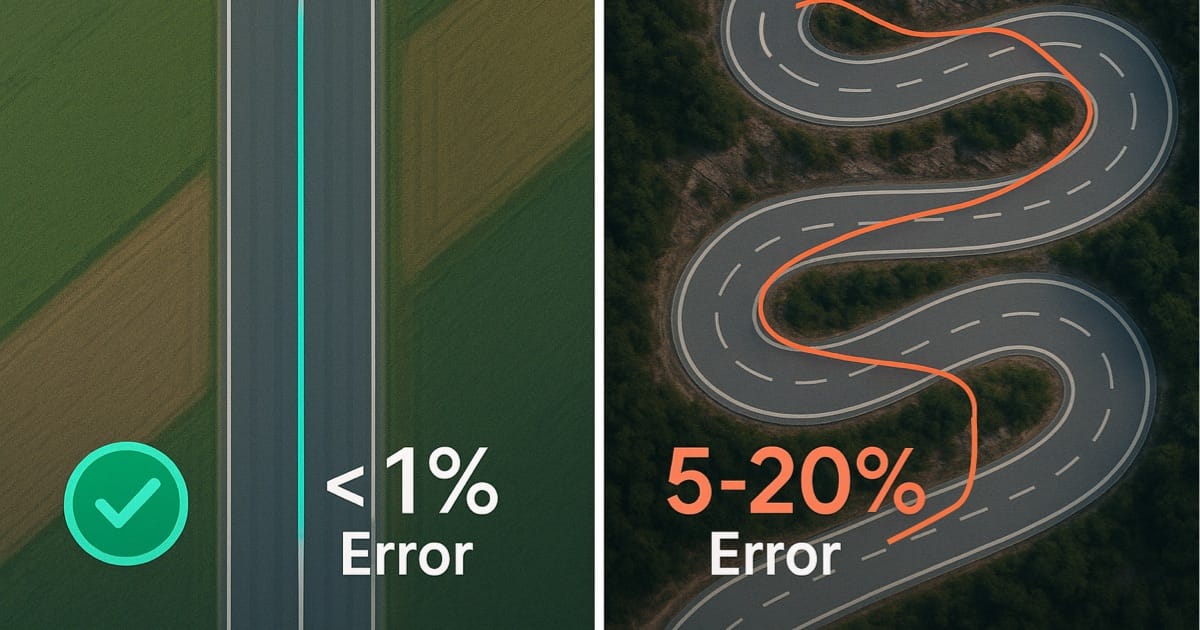
Speed reading seems low on curves:
- This is expected GPS behavior on tight curves
- 1 Hz GPS update rate misses curve detail
- Read our article on GPS accuracy on curves for explanation
Battery Draining Quickly
GPS uses significant power:
- The GPS chip draws power continuously while active
- Your screen remains the biggest drain by far
- Lower screen brightness for the biggest battery improvement
Cellular radio searching can drain battery fast:
- Ensure airplane mode is fully enabled
- When your phone searches for signal in low-coverage areas, it burns through battery quickly
- Airplane mode stops this wasteful searching
Privacy and Data Collection
GPS satellites don’t track you. They broadcast signals to everyone, with no individual user identification or return signal. However, GPS Speedometer app is software running on your phone, which raises separate privacy questions.
What GPS Satellites Know About You
Nothing. GPS is a one-way broadcast system. Satellites send signals to Earth, your phone receives them, and no information flows back. The U.S. government and military operating GPS satellites have zero knowledge of individual users or their locations.
This is fundamentally different from cellular networks where your phone actively communicates with towers that can triangulate your position.
What GPS Speedometer App Collects
GPS Speedometer app may collect analytics data for app improvements. For complete details on data collection, processing, and storage, please review our Privacy Policy.
Important clarification: Even in airplane mode with zero internet connection, apps can store data locally on your device for later transmission once connection resumes. Offline use doesn’t guarantee zero data collection.
If privacy is a primary concern, review the Privacy Policy before using any GPS app, including ours. We aim for transparency about what data we collect and why.
Frequently Asked Questions
Does GPS speed tracking work without internet?
Yes. GPS satellites broadcast signals continuously that your phone receives to calculate position and speed. Internet is not required for basic GPS functionality. However, features like speed limit alerts and map display require an internet connection to access online databases and map servers.
How long does GPS take to lock without internet?
Without internet, GPS cold start (first acquisition) takes 30-120 seconds while your phone scans for satellites and downloads almanac data from satellite broadcasts. With internet and A-GPS, this same lock takes 5-10 seconds. Once locked, GPS maintains signal regardless of internet connection. Hot starts with recently-used GPS lock in under 5 seconds even offline.
Source: GPS.gov - GPS Accuracy
Is GPS less accurate offline?
No. GPS accuracy (typically 5-10 meters in open areas) is identical whether online or offline. A-GPS only speeds up satellite acquisition time. It doesn’t improve position or speed accuracy. Accuracy depends on satellite visibility, signal quality, and receiver hardware, none of which change based on internet connectivity.
For detailed accuracy analysis, see our guide on how GPS speedometers work.
What GPS features work without internet?
Speed tracking, distance measurement, altitude (from GPS and barometric sensor if enabled), trip recording, coordinate tracking, and basic HUD display all work offline. These features rely on satellite signals alone. Features requiring internet include speed limit data, map tile display, weather information, and address lookup.
Does airplane mode disable GPS?
No. Airplane mode disables cellular and WiFi radios but GPS continues functioning. iOS allows Location Services to operate independently of airplane mode. You can verify this by enabling airplane mode, opening GPS Speedometer app, and confirming speed display still works while cellular shows no signal.
Can I use GPS speedometer internationally without roaming charges?
Yes. Enable airplane mode to prevent cellular roaming charges while GPS continues tracking speed and distance. GPS satellites provide global coverage and don’t care about international borders or roaming agreements. Download any needed maps before departure for visual reference, though core speed tracking works without map display.
Does GPS use more battery offline?
No, GPS uses the same amount of power whether online or offline. The battery benefit from airplane mode comes from disabling the cellular radio, particularly when it’s searching for signal. Your screen remains the largest battery drain regardless of connection status.
Conclusion
GPS and internet are two separate systems that work great together but don’t actually need each other. The satellites keep broadcasting whether you have data or not, which means your speedometer works just fine offline for basic speed and distance tracking.
The real limitation isn’t accuracy or reliability. You just lose the internet-dependent extras like speed limit alerts and map displays. But for tracking your speed? Offline GPS does exactly what online GPS does.
The only noticeable difference is that first lock when you haven’t used GPS in a while. Without internet, it might take 30-120 seconds instead of a few seconds. Once it locks though, you’re good to go regardless of whether you have a connection.
This means you can use GPS Speedometer anywhere: road tripping abroad, driving through areas with zero cell service, or just trying to avoid burning through your data. The satellites are up there doing their thing 24/7, and your phone is just listening.
Want to try it out? Download GPS Speedometer and test it yourself. Enable airplane mode on your next drive and watch as your speed tracking continues working normally. No internet required.
Questions about offline GPS? Contact us or check out our FAQ page.