
Speed Camera Alerts for iPhone
Speed-camera approach alerts powered by the SCDB.info database — 40+ countries, no ads, and fully offline.
The same speed-camera database used by many navigation systems.

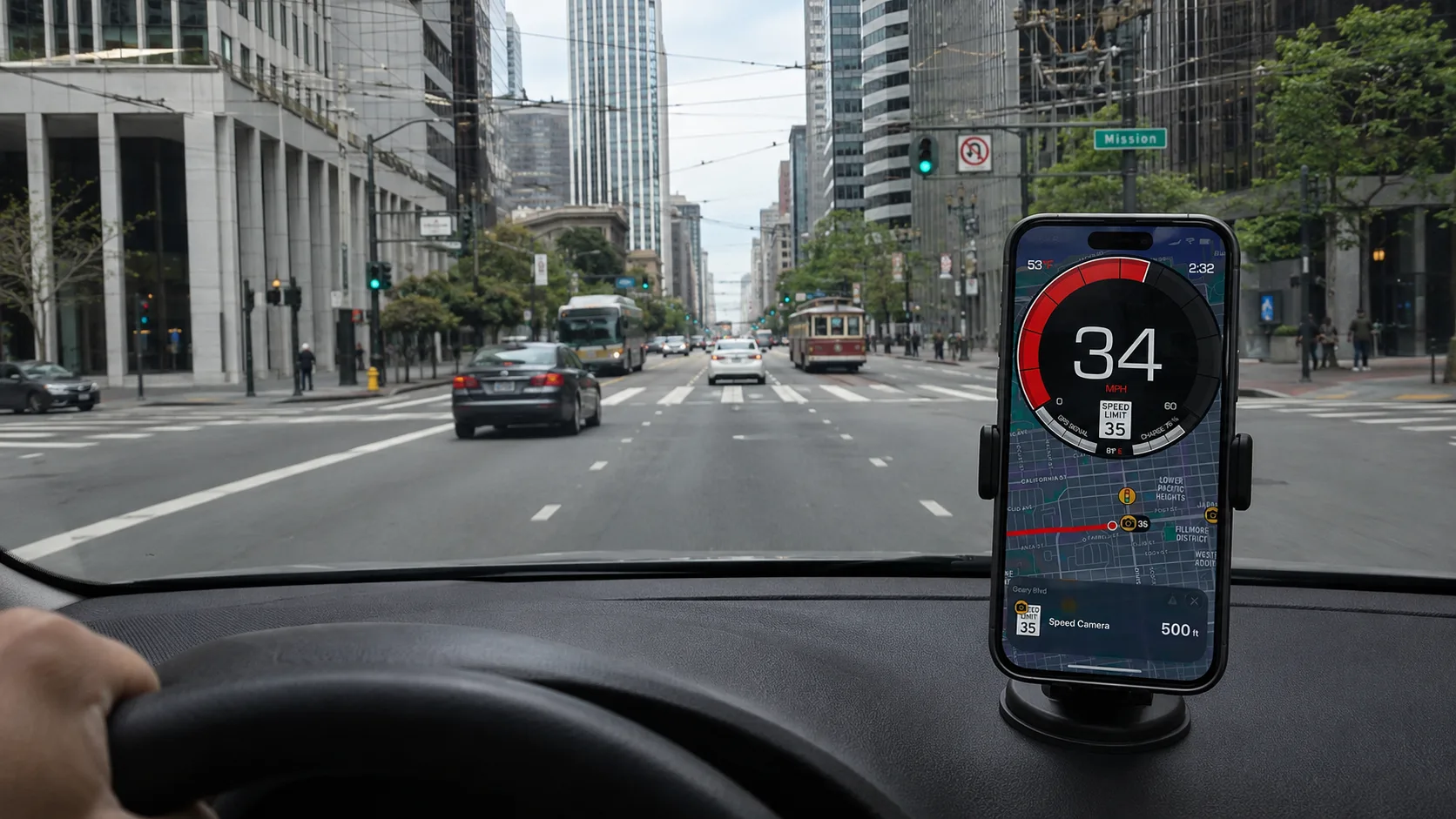
Most "speed camera" apps fall into one of two camps: a community-reported feed (fast but noisy) or a professional database (slower to update but professionally curated). We chose the second. Our iPhone app reads your GPS position and gives an approach alert as you near a camera in the database, with audio, voice, haptic, banner and on-map alerts you control. No ads, and no data plan needed — the database is on your phone. The speed-camera feature is part of Premium, with a free trial so you can test it before subscribing.
Why this app
Professional database, not crowd-guessed locations
Every camera in the database is curated by a professional team and updated regularly. A different trade-off than community feeds: slower to react to brand-new installs, but the entries come from a single professional source rather than user reports.
40+ countries — Europe, the Americas, Brazil, Australia
Drive across borders without fiddling with settings. The database is bundled with the app, so coverage works the same in a Lisbon suburb, on a French autoroute, or down the Brazilian Atlantic coast.
Customizable alerts — visual, audio, voice, haptic
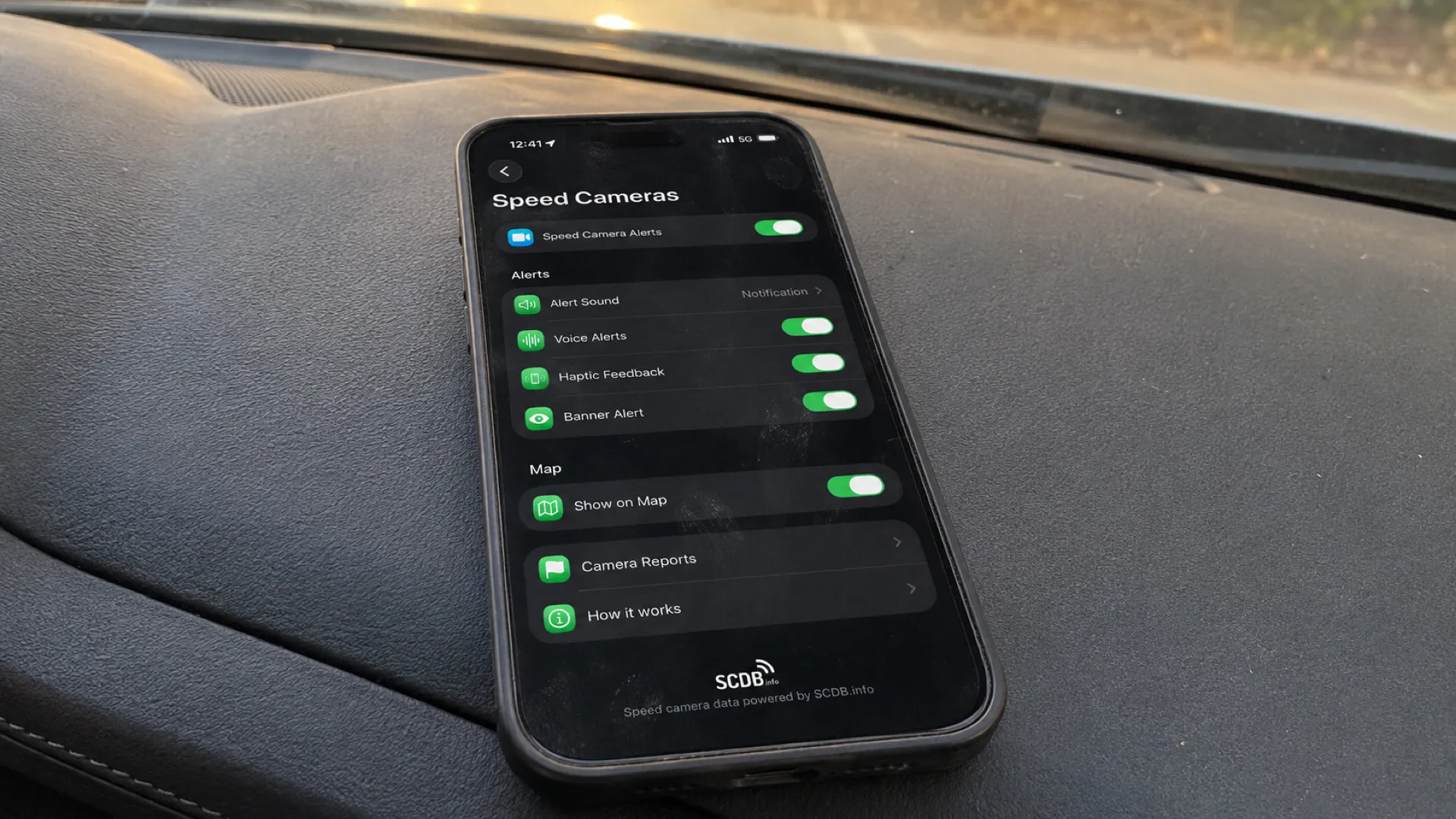
Pick any combination: a quiet beep, a distinctive radar tone, a spoken voice alert in your language (21 supported), a flashing banner, or a steady haptic pulse. The approach distance scales with your speed, and the cooldown prevents repeat alerts on the same camera.
Built-in legal compliance per country
The app respects the law in every country it ships in. France: zones de danger instead of point locations. Switzerland: speed-camera function disabled by default per Article 57b SVG. Germany: alerts are shown with a "passenger use only" disclaimer per §23 Abs. 1c StVO. You don't have to think about it.
How we compare to other speedometer & radar apps
We're a GPS speedometer and trip logger first — speed-camera alerts are a Premium add-on layered on top. Here's how that stacks up against two popular iPhone speedometer apps and a dedicated radar app. Compared against publicly documented features (App Store listings) as of May 2026.
| Feature | Us | Speedometer Simple | SpeedAce | Radarbot |
|---|---|---|---|---|
| Core purpose | GPS speedometer + trip logging, with SCDB-powered speed-camera alerts | Simple GPS speedometer | GPS speedometer + pedometer | Speed-camera / radar alerts |
| GPS speedometer + HUD | Yes — MPH / KM/H / knots, HUD | Speed display, no HUD | Yes — HUD (paid) | Basic speed display |
| Road-based speed-limit alerts | Yes — Premium (needs internet) | No | Manual threshold only | Yes |
| Trip logging + GPX export | Yes — recording free, GPX export Premium | Trip stats; no export | Trip history; no export | No |
| SCDB-powered speed-camera alerts | Yes — SCDB, professionally curated | No | No | Yes — own database + community |
| Camera alerts work offline | Yes — database on your phone | — | — | Yes (for alerts) |
| Professional vs crowd-sourced data | Professional database only — no community entries | — | — | Community reports for mobile cameras |
| No ads | Yes | No — ad-supported | No ads (subscription) | Ad-supported free tier |
| Pricing | Free; speed-camera alerts need Premium (free trial) | Free + in-app purchases | Free; subscription for HUD & history | Freemium; GOLD subscription |
How alerts work
Three pieces under the hood: a continuously-maintained database, a position match, and a context-aware alert.
Smart approach distance
The warning distance scales with your current speed — typically a few hundred metres at city speeds, up to 1 km at motorway speeds. The faster you're driving, the earlier the warning.
Direction matching
For unidirectional cameras with a known bearing, we run a perpendicular gate check against your heading. You won't get an alert for a camera pointing the other way on a divided motorway.
Cooldown
Each camera goes silent for a short time after it triggers, so you don't get a second alert if you happen to loop back through the same spot.
Audio you control
Pick the alert flavour: silent, beep, custom radar tone, voice. Voice alerts are pre-rendered in 21 languages — no text-to-speech latency or accent oddities.
Country coverage
The database covers Europe, the Americas, Brazil and Australia. Where local law restricts how alerts can be shown to the driver, the app adapts automatically.
France
Camera locations are aggregated into "danger zones" (LOPPSI 2, 2011 — point alerts are illegal).
Germany
Camera alerts are shown with a "passenger use only" disclaimer; using them as the driver remains forbidden under §23 Abs. 1c StVO.
Switzerland
Speed-camera function is disabled by default — Article 57b SVG forbids any device or app warning of speed checks.
Italy, Spain, UK, Netherlands, Brazil, USA, +35 more
Standard alerts; no per-jurisdiction restrictions apply.
Set up in under a minute
Download
Install GPS Speedometer MPH Tracker from the App Store (free, no ads).

Allow location
Grant location access — required for any GPS-driven feature.
Enable & pick alerts
Open Settings → Speed Cameras and turn the feature on. It's part of Premium — start your free trial to activate alerts, then choose audio (beep / radar / voice), haptic, banner or on-map. Any combination.
Drive
Approach distance, direction matching and cooldown work automatically.
Speed-camera-app FAQ
No. A radar detector is a hardware device that scans for police speed-measurement signals — those devices are banned in many countries. Our app is a POI alert app: it reads your GPS position and matches it against a database of known fixed-camera locations. The two technologies, and their legal status, are different.
Yes. The camera database is bundled with the app and stored on your iPhone, so alerts work in remote areas and abroad without a data connection — anywhere your iPhone has a GPS signal. (Alerts rely on GPS, so they won't fire deep inside a tunnel where there's no satellite reception.)
From SCDB.info — a professionally curated speed-camera database used by navigation systems worldwide. Entries are human-curated and updated on a regular schedule.
No. We deliberately do not include alerts for mobile patrols or temporary cameras, because no source — community or official — supplies that data with the stability the database requires. We focus on the fixed / section-control / red-light / ANPR types the SCDB curators maintain.
No. The app is iOS only — iPhone and iPad. We have no current plan to publish on Android.
The app is free to download and has no ads. The speed-camera alert feature is part of Premium — you can start a free trial to test the alerts before subscribing. Recording your trips is free; Premium adds GPX export, road-based speed-limit alerts, trip detail views, weather & temperature, custom themes and app icons, and Picture-in-Picture mode.
The underlying SCDB.info database is maintained on a regular schedule by its curators, and we ship updated camera data with each release.
Yes. The app includes a built-in report flow that submits the correction (anonymised — no personal data) to the SCDB curators for review.
Related guides
Speed cameras: the complete guide
Pillar — how cameras work, where they're used, and the legal landscape.
Types of speed cameras explained
Fixed, mobile, average-speed, red-light, ANPR, danger zones — what each one is.
Are speed camera apps legal? Country guide
Country-by-country reference for legality of POI apps and radar detectors.
Automatic speed-limit alerts
A separate alert layer: get warned the moment you cross the posted limit.
HUD speedometer guide
Project your speed on the windshield. Pairs naturally with camera alerts.
Car speedometer app
GPS-grade speed for everyday driving.
Speed-camera approach alerts, powered by SCDB.info.
40+ countries. Regularly updated. No ads.
Always drive within the posted limit. Camera alerts are an aid to attention, not a licence to speed.