
GPS Speed Tracker
Every metric the app records — speed, distance, altitude, climb, G-Force, full route history, GPX export. The complete reference for what GPS Speedometer tracks and how to use it.

Every Metric, Tracked in Real-Time
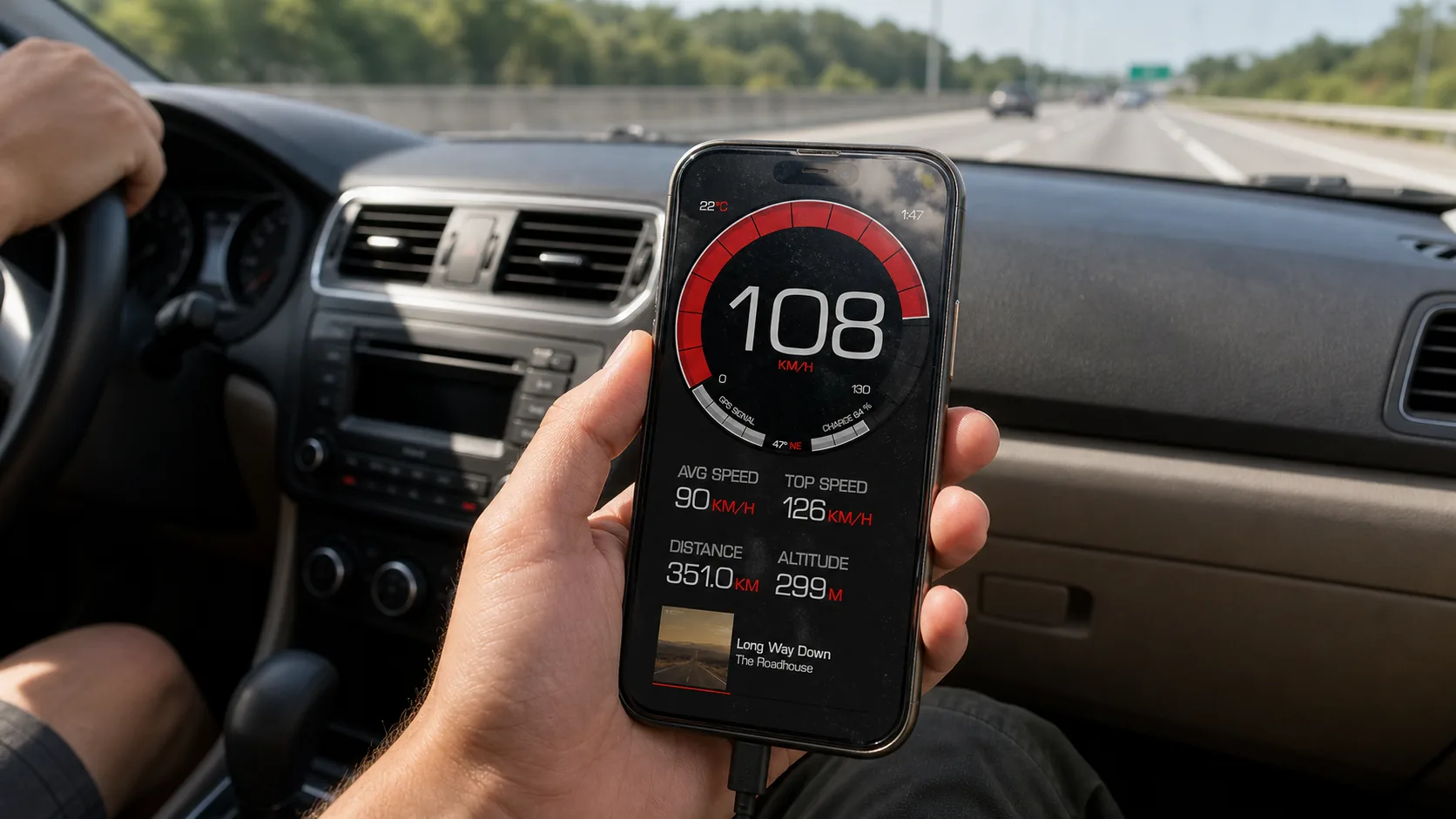
Eight live data points, recorded continuously and saved per trip. No hidden subscription tiers — these are the core readouts.
Current Speed
Live speed updated multiple times per second from GPS. Shown in MPH, KPH, or knots.
Max Speed
Peak speed recorded during the trip. Reset per session or kept across rides.
Average Speed
Running average across the trip — useful for pacing on long drives, rides, or runs.
Trip Distance
Total distance traveled, calculated from GPS samples. Shown in miles or kilometers.
Altitude
Current elevation above sea level — sourced from the iPhone barometer where available, GPS otherwise.
Climb / Elevation Gain
Total elevation gained over the course of a trip. Useful for cycling, hiking, and trail running.
Trip Duration
Active time on the trip, with stopped time tracked separately.
G-Force
Live acceleration, braking, and cornering forces — useful for performance driving and track days.
How GPS Speed Tracking Works
Acquire GPS Signal
On launch, the app waits for an iPhone GPS lock — typically 10-60 seconds with a clear sky view. No cell signal needed.
Real-Time Speed Calculation
GPS reports your position multiple times per second. The app derives your ground speed directly — no wheel sensors, no calibration drift.
Continuous Trip Recording
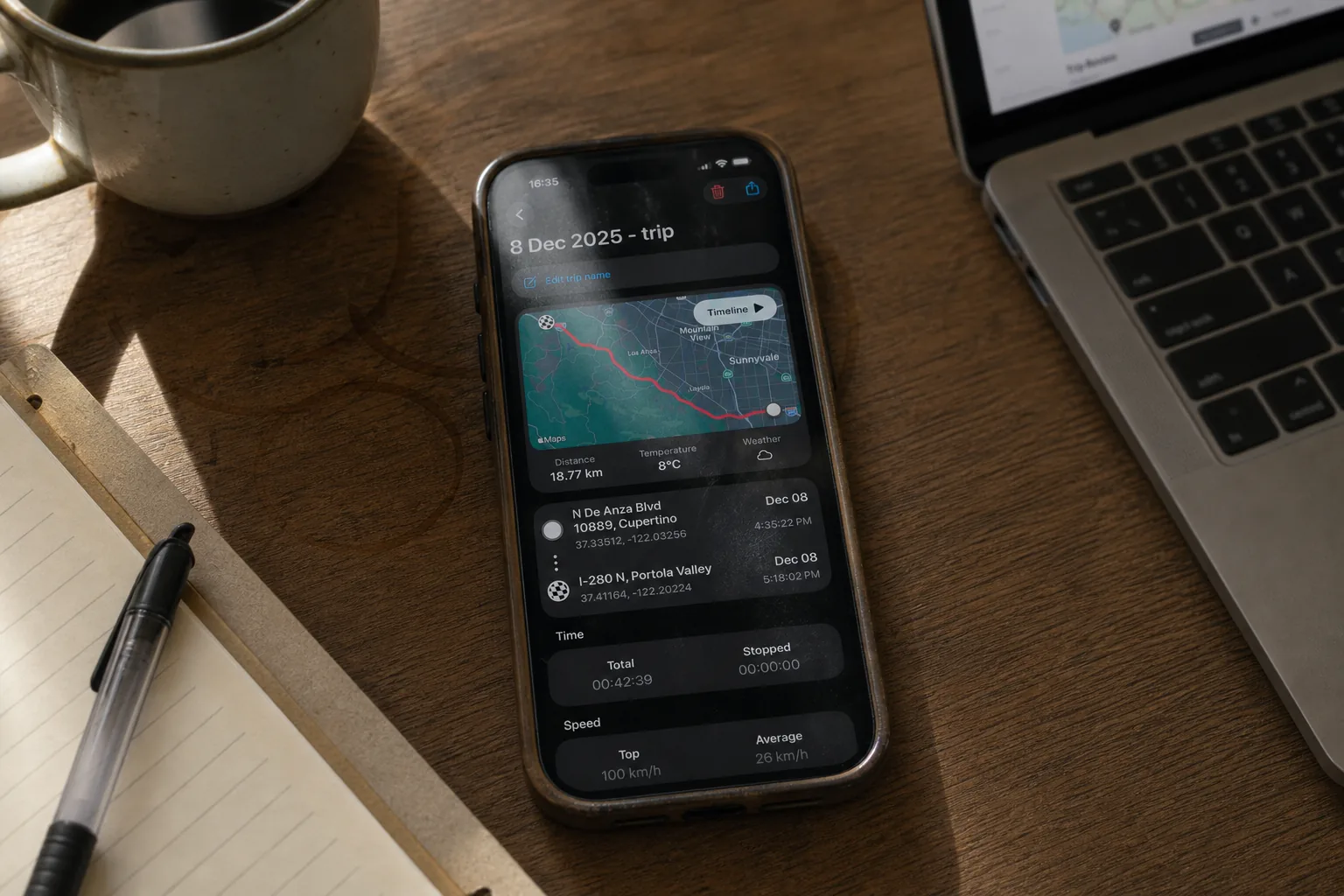
When trip recording is on, every GPS sample is logged with timestamp, position, speed, and altitude — a complete second-by-second history.
Export & Review
When you stop a trip, review the full log in-app or export as a standard GPX file for use in Strava, RideWithGPS, or any analysis tool.
Who Uses GPS Speed Tracking
Drivers
- Verify factory speedometer accuracy
- Replace broken or vintage gauges
- Track road trips with full routes
- Monitor speed limits and alerts
- Road, MTB, gravel, and commuting
- Climb and elevation per ride
- GPX export for Strava + Komoot
- Works offline on remote trails
- Dirt bikes without speedometers
- G-Force on track days
- Adventure-touring routes & altitude
- Vibration-resistant — phone in mount
Runners & Hikers
- Pace, distance, and elevation gain
- Trail runs and long hikes
- No watch / no Garmin needed
- Works without cell service
- Speed in knots
- Course over ground from GPS
- Trip log with route trace
- Works offline on the water
Public Transit & Travel
- Train and bus speed for rail fans
- Verify aircraft cruise speed
- Long-trip pace tracking
- Background recording during travel
How Accurate Is GPS Speed?
iPhone GPS provides 1-2% speed accuracy under good sky conditions — typically more accurate than factory wheel-based speedometers, which drift 5-10% with tire wear and modifications.
Better Than Factory Speedometers
Mechanical speedometers calibrate to a specific tire diameter. Tire wear, pressure changes, and aftermarket wheels all introduce error. GPS measures actual ground speed directly.
What Affects GPS Accuracy
Tunnels, dense urban canyons, and heavy tree cover can degrade signal quality. The app shows a GPS quality indicator so you know when readings are reliable.
Updates Multiple Times Per Second
GPS sampling runs at high frequency, so the displayed speed reflects your actual ground speed without lag.
Export, Review & Share
GPX File Export
Standard GPX format compatible with Strava, RideWithGPS, Komoot, and any GIS tool.
Trip History
Every recorded trip is saved automatically with full route, stats, and timestamps.
Share to Friends
Send routes via Messages, email, or AirDrop — recipients can open the GPX in any compatible app.
Re-Open in Maps
Open the recorded route in Apple Maps or Google Maps for visual review.
GPS Tracker vs Alternatives
| Feature | iPhone GPS Tracker | OBD-II Adapter | Dedicated GPS Unit |
|---|---|---|---|
| Cost | Free | $30-150 | $100-500+ |
| Works on Bicycles & Motorbikes | |||
| Works Without a Vehicle | |||
| Speed Accuracy | 1-2% | Vehicle-dependent | 1-2% |
| Altitude & Climb | |||
| G-Force | Sometimes | ||
| Route Recording | |||
| GPX Export | Sometimes | ||
| Setup Time | Seconds | Hardware install | Mount + power |
Our Recommendation: For drivers, cyclists, motorcyclists, runners, and hikers, an iPhone GPS tracker covers everything a dedicated unit does — plus altitude, G-Force, and zero setup. OBD-II is great for engine diagnostics but limited for speed tracking.
GPS Speed Tracker FAQ
Yes. GPS positioning is satellite-based and works completely offline — perfect for remote trails, off-road riding, and areas without cell coverage. Once the satellites lock, speed, distance, and trip recording all work without a data connection. Speed limit detection is the only feature that needs internet.
Typically 10-60 seconds from a cold start with a clear sky view. After the first lock, subsequent locks are usually under 5 seconds. Tunnels, parking garages, and dense indoor areas will block the signal entirely.
Usually, yes. Factory speedometers calibrate to a specific tire diameter, so tire wear, pressure differences, and aftermarket wheels introduce error (5-10% drift is common). GPS measures actual ground speed directly from satellites — typically 1-2% accuracy.
Continuous GPS is battery-intensive — expect roughly 4-8 hours of tracking on a full charge depending on screen brightness and other background apps. For longer trips, plug into a car charger, USB port, or power bank.
Yes. Every recorded trip can be exported as a standard GPX file, which imports into Strava, RideWithGPS, Komoot, Garmin Connect, and most other GPS analysis tools.
G-Force readings come from the iPhone's built-in accelerometers, which are accurate enough for everyday performance tracking — track day cornering, acceleration, braking forces. Not certified for professional racing telemetry, but very useful for personal performance review.
Yes — GPS uses satellites, not cellular networks. Airplane mode disables cellular and Wi-Fi but does not disable GPS. This is actually a useful battery-saving trick for long offline trips.
No — GPS requires a clear sky view and won't track indoor activities. For treadmill running, use a dedicated indoor app or your iPhone's built-in fitness tracking.
Track Every Metric, Every Trip
Free download. Full GPS tracking, every feature on this page, no subscription required.
For drivers, cyclists, motorcyclists, runners, hikers, and boaters