GPS Speedometer app icon
speedometer.app GPS Speedometer for iPhone

GPS Cycling Speedometer - Bike Computer for iPhone

Transform your iPhone into a professional bike computer. Track speed, distance, elevation, and performance with the most trusted cycling speedometer since 2014.

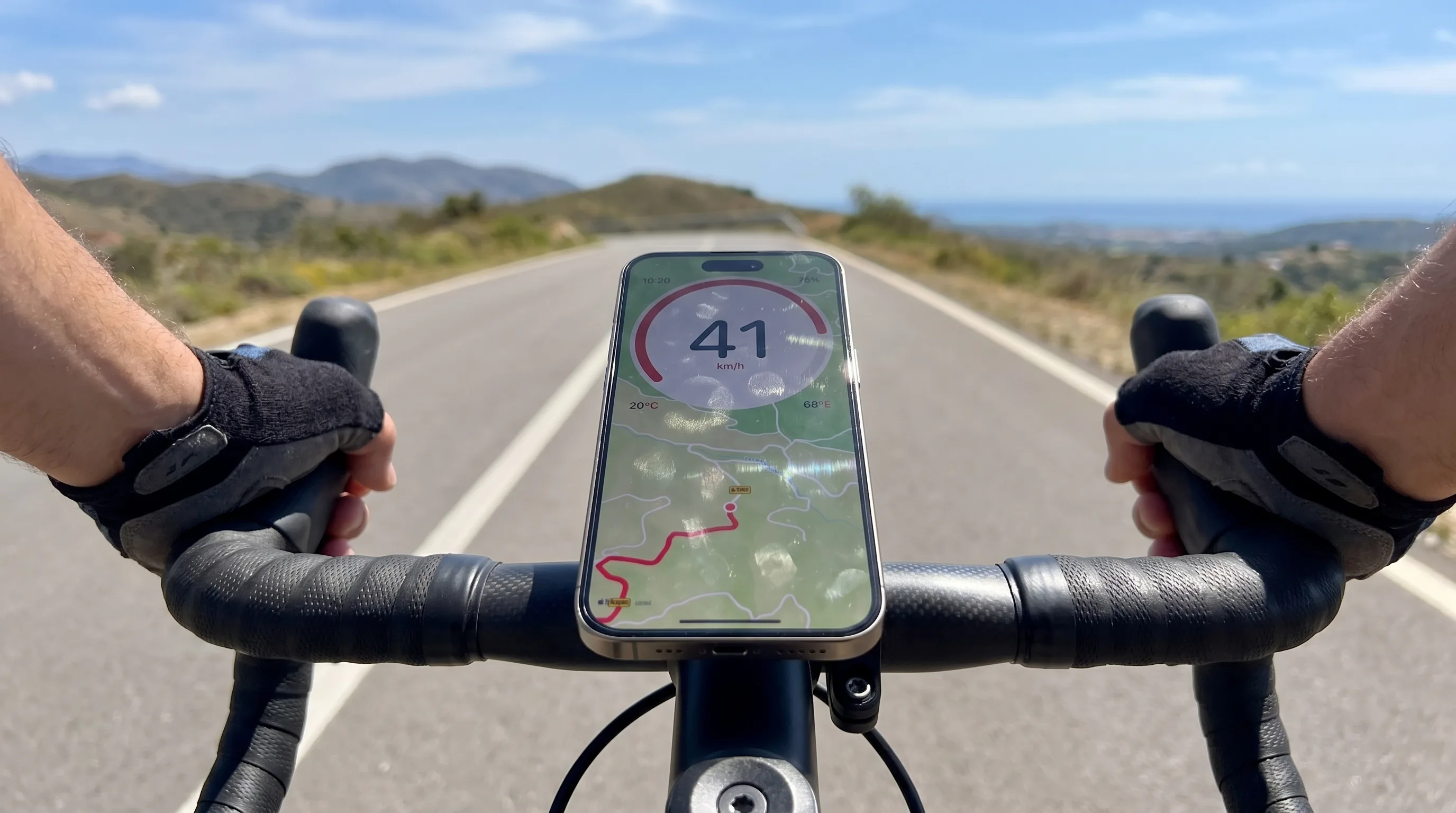
GPS Speedometer running on an iPhone in an out-front stem mount on a road bike, scenic open road extending ahead
Built for road, mountain, and everywhere in between.

Cycling features in an app with 6.3M+ downloads

GPS Accuracy

Precise speed and distance tracking using advanced GPS algorithms

Works Offline

Core speed and trip recording work offline with a usable GPS signal.

Altitude tracking

The app can use GPS and the barometer on supported devices for altitude tracking. Results depend on the hardware, signal and conditions.

Trip History

Save and review all your rides with detailed stats and route data

Essential Cycling Features

The features cyclists actually use day-to-day on the road, the trail, or the daily commute.

Real-Time Speed Tracking

Monitor your current speed in real-time with GPS precision. Switch between KPH and MPH based on your preference or location.

Distance & Trip Recording

Track total distance, trip distance, and record your routes. See all GPS tracking features. Perfect for training logs and sharing your cycling achievements.

Elevation & Altitude

Monitor elevation changes with barometer integration. Track climbs, descents, and total elevation gain for mountain biking and hill training.

Performance Metrics

Track average speed, maximum speed, ride duration, and other key performance indicators for training analysis.

Music Integration

Music playback controls require PRO, media-library permission and compatible content in the system Music player.

Picture in Picture Mode

Use navigation or other apps while keeping speed visible in a floating overlay. Exclusive feature not found in other cycling apps.

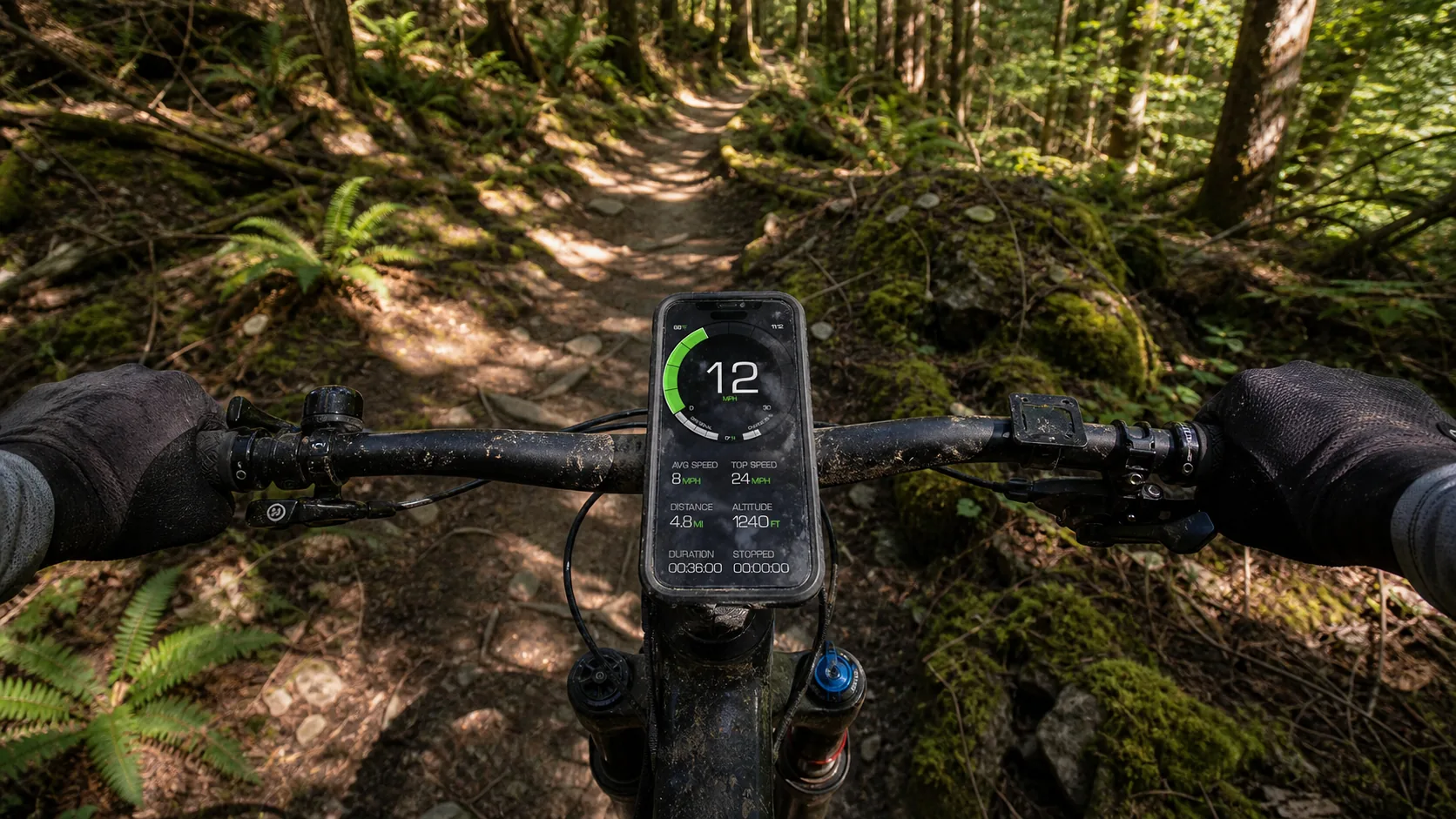
GPS Speedometer running on an iPhone in a rugged case on a mountain bike's stem mount, dappled forest trail extending ahead
Elevation, climb gain, route — exactly the data MTB riders track.

Perfect for Every Type of Cycling

Road Cycling

  • Real-time speed tracking
  • Distance tracking
  • Average speed display
  • Maximum speed recording

Mountain Biking

  • Elevation tracking
  • Works without internet
  • Route recording
  • Core speed and trip recording work offline with a usable GPS signal.

Commuting

  • Daily trip logs
  • Time tracking
  • Route recording
  • Trip history

Training

  • Speed tracking
  • Distance measurement
  • Max speed records
  • Trip history review

Touring

  • Long-distance tracking
  • Multi-day trip logs
  • Trip recording
  • Core speed and trip recording work offline with a usable GPS signal.

E-Biking & Scooters

  • Speed monitoring
  • Distance tracking
  • Trip duration
  • Route recording

Quick Setup for Cycling

1

Download & Install

Get GPS Speedometer MPH Tracker from the App Store. It's free with no ads.

2

Enable Location Services

Grant location permission for GPS tracking. Also enable Motion & Fitness for barometer access.

3

Choose Units

Set your preferred speed units (KPH for most countries, MPH for US/UK). Also select distance and elevation units.

4

Mount Your Phone

Use a bike mount or handlebar holder for safe viewing. Position where you can see the screen without compromising safety.

5

Start Tracking

Begin your ride and tap record to start trip tracking. Your speed, distance, and elevation will be monitored automatically.

Which cycling setup fits your ride?

Choose by the job you need to do: everyday GPS speed and saved rides, deeper training with connected sensors, or a separate purpose-built device.

Use your iPhone

Casual rides and everyday trips

Choose GPS Speedometer when you want a simple outdoor ride display and trip log on the phone you already carry.

  • Live GPS speed is free and works without internet
  • Record, save and review rides for free
  • Basic summaries include maximum speed, average speed and distance
Training platform

Structured training and sensors

Choose a training app such as Cyclemeter when workouts and connected cycling data are the priority.

  • Configurable intervals, targets, zones and training plans
  • Bluetooth heart-rate, speed, cadence and power sensors
  • Detailed maps, graphs, splits and performance statistics
See Cyclemeter's published features

Dedicated hardware

A separate bike computer

Choose dedicated hardware when you prefer a purpose-built handlebar device instead of using your iPhone.

  • Compare the exact models that fit your rides and budget
  • Check each model’s battery and weather-resistance specifications
  • Confirm the navigation, sensor and accessory support you need

What is free and what requires PRO?

Free: live GPS speed, ride recording, saved ride history and basic maximum, average and distance summaries.

PRO: detailed trip analysis, trip sharing, GPX export and Picture in Picture. Learn about Picture in Picture.

PRO is available by subscription or one-time purchase. Apple shows the current price for your region and offer.

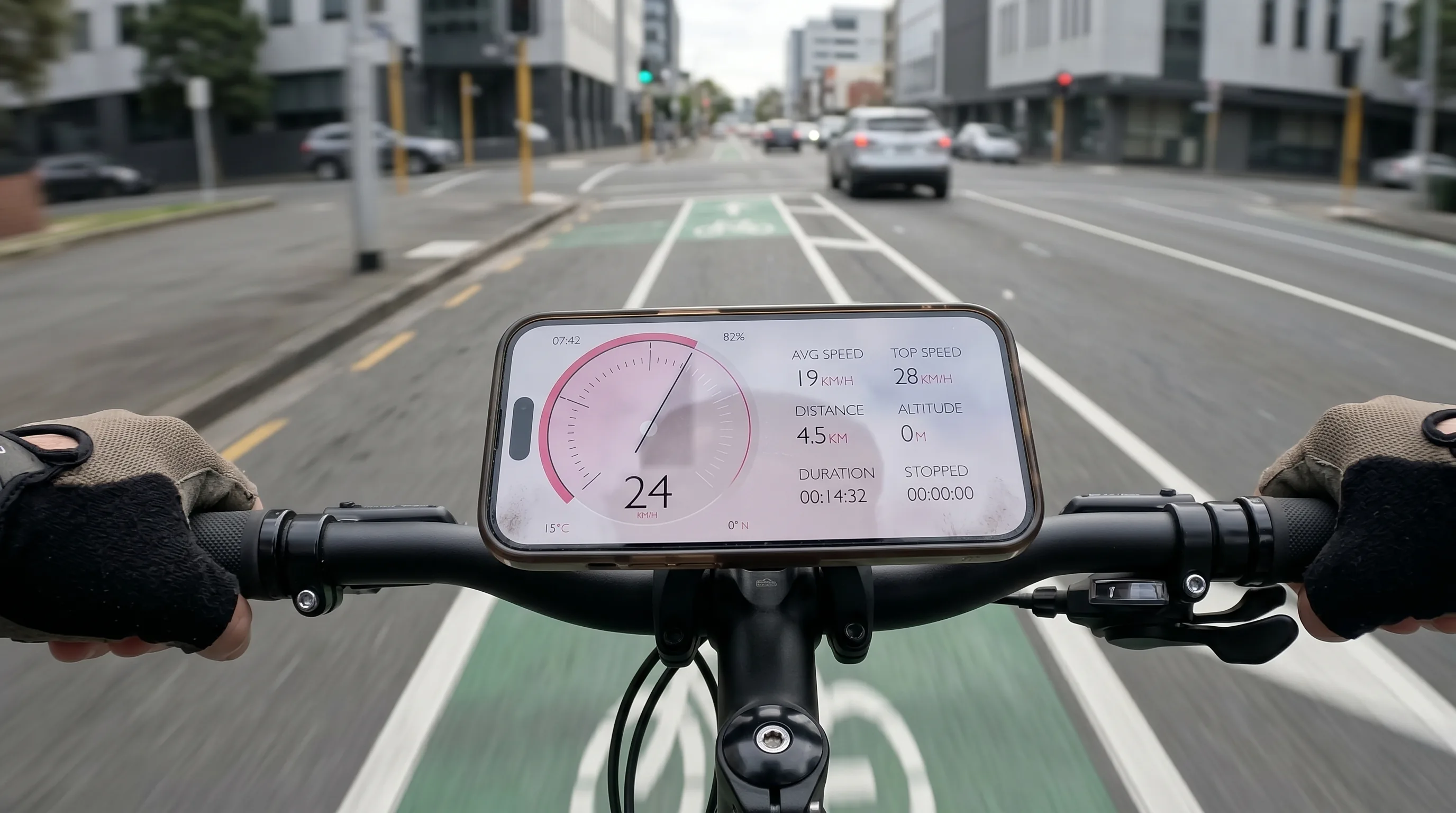
GPS Speedometer running on an iPhone in a handlebar mount on a city commuter bike, urban bike lane in golden-hour morning light
Daily commute, weekend ride, or training session — same app, every kind of cycling.

Pro Tips for Cycling with GPS Speedometer

Battery Optimization

  • Battery use varies with the device, battery health, screen brightness, signal and enabled features. No fixed hourly drain or runtime has been established for the app. For long trips, plan a suitable charger or power bank.
  • Use airplane mode + GPS to save battery - GPS works without cellular connection, saving significant power on remote trails
  • Reduce screen brightness during day rides - auto-brightness often over-compensates in direct sunlight
  • Consider portable battery pack for long tours - Anker 10,000mAh packs easily fit in jersey pockets and provide 2-3 full charges
  • Close background apps before rides - social media and streaming apps drain battery even when not actively used
  • Battery use varies with the device, battery health, screen brightness, signal and enabled features. No fixed hourly drain or runtime has been established for the app. For long trips, plan a suitable charger or power bank.

Safety & Mounting

  • Use quality bike mount with shock absorption - Quad Lock, Peak Design, and SP Connect offer excellent vibration damping for rough terrain
  • Position screen away from direct sunlight when possible - angle mount slightly downward to reduce glare and improve visibility
  • Keep primary focus on road, not screen - glance at speed only when safe, similar to checking a watch
  • Use waterproof case in wet conditions - even water-resistant iPhones benefit from extra protection on rainy rides
  • Test mount security before each ride - check all connection points and ensure phone won't shift during hard efforts or descents
  • Stem mounting preferred over handlebar - provides better visibility and reduces handlebar clutter for bar-mounted accessories

Data & Training

  • Record all rides for progress tracking - even easy recovery rides provide valuable data for identifying fitness trends over time
  • Export GPX files to training platforms - share rides with Strava, TrainingPeaks, or Garmin Connect for comprehensive analysis and social features
  • Monitor average speed improvements on familiar routes - same route comparison is more meaningful than absolute speed across different terrain
  • The app can use GPS and the barometer on supported devices for altitude tracking. Results depend on the hardware, signal and conditions.
  • Compare max speed achievements safely - use downhill segments on controlled roads, never chase speed records in traffic or technical terrain
  • Set personal speed goals by discipline - road cyclists target 18-22 MPH averages, mountain bikers focus on technical sections rather than absolute speed

Enhanced Experience

  • Use Picture in Picture with navigation - keep speed visible while following Apple Maps or Google Maps for exploring new routes
  • Music playback controls require PRO, media-library permission and compatible content in the system Music player.
  • Enable speed limit alerts for road safety - helpful for bike path speed limits and shared-use trail zones
  • Customize display for better visibility - choose high-contrast themes for bright sunlight, dark themes for dawn/dusk riding
  • Pair with Bluetooth headphones for audio feedback - hear speed updates without taking eyes off the road during time trials or training intervals

Cycling Speedometer FAQ

GPS provides an estimate of speed over ground, independent of wheel size. Signal quality, obstructions, low speed and processing can affect the reading. A fixed percentage error or greater accuracy than another instrument is not guaranteed.

The app requires GPS for speed tracking, so it won't work on stationary indoor trainers. However, it's perfect for outdoor cycling, including road, mountain, and trail biking.

Yes! The PRO version allows GPX export of your routes, which can be imported into platforms like Strava, Garmin Connect, or other cycling analytics tools.

The app can use GPS and the barometer on supported devices for altitude tracking. Results depend on the hardware, signal and conditions.

Recording, saving and basic viewing of trips are free. Detailed route playback and analysis require PRO. PRO unlocks route playback, speed and altitude charts, and detailed trip analysis. Trips saved while PRO stay unlocked if PRO later expires.

Start Your Next Cycling Adventure

Join thousands of cyclists who trust GPS Speedometer MPH Tracker for their rides.

Download on the App Store

Free download • No ads • Perfect for all cycling types